How to Schedule WhatsApp Messages
WhatsApp itself has no scheduling feature. That single fact explains why this question has so many contradictory answers online — everything that works is either an operating-system trick, a business platform built for it, or an automation tool that risks the number. This guide covers all three honestly, so you can pick the one that matches what you are actually trying to do: one message to one person next Tuesday, or a reminder that goes to every customer the day before their appointment.
Tools You'll Need
Step-by-Step Guide
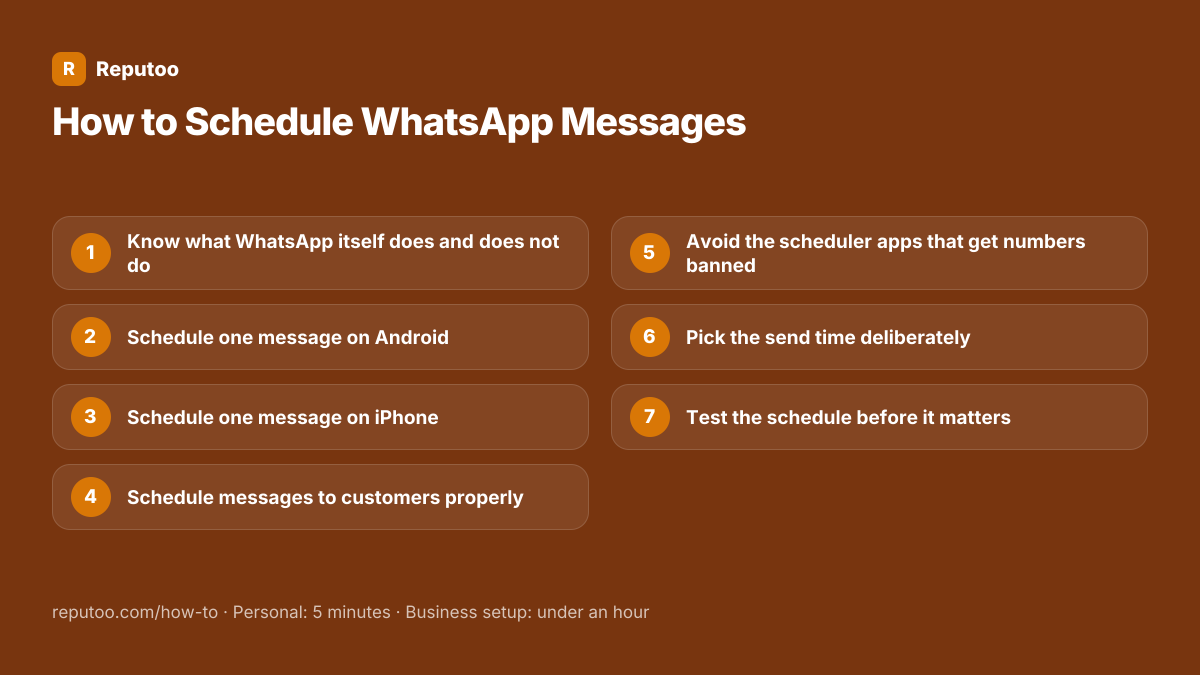
Know what WhatsApp itself does and does not do
There is no "schedule" button in WhatsApp, in the WhatsApp Business app, or on WhatsApp Web. The Business app can send an automated away message and a greeting message, but those fire in reaction to something — a customer writing to you, or a time window you are closed — rather than at a time you pick for a message you wrote. Anything that genuinely sends at a chosen moment comes from outside the app. Knowing that saves you looking for a setting that does not exist.
Schedule one message on Android
The reliable route is the phone’s own automation app rather than a WhatsApp add-on. Google’s Clock app and Samsung’s Bixby Routines can both open WhatsApp with a prepared message at a set time, and third-party automation apps such as Tasker do the same more flexibly. Two things to know before relying on it: most of these prepare the message and still require you to tap send, and any that claim to send fully automatically are driving the app on your behalf, which carries the risk covered in step five. For a single personal message, the tap is a small price.
Schedule one message on iPhone
iOS is more restrictive and there is no way to make WhatsApp send by itself. The practical method is the Shortcuts app: build a Personal Automation set to a time, add the "Text" action with your message, then "Send Message via WhatsApp". It opens WhatsApp with everything filled in and waits for you to confirm. The other approach people use is simpler and works well enough — a reminder to yourself at the right time, with the wa.me link to the person already in it, so sending is two taps.
Schedule messages to customers properly
For a business this is where the personal methods stop being relevant. On the WhatsApp Business Platform, scheduling is not a workaround but a normal feature of the platform you connect to: you write an approved template, choose the audience, set the send time, and it goes without a phone being involved. More useful than a fixed clock time is scheduling relative to an event — twenty-four hours before an appointment, three days after a purchase, seven days before a renewal. That is what actually reduces no-shows and recovers payments, and it cannot be done from a handset at all.
Avoid the scheduler apps that get numbers banned
A large category of apps promises scheduled and bulk WhatsApp sending, and the ones to avoid are identifiable by one request: they ask you to scan a WhatsApp Web QR code or log in with your number. That hands the app control of your account and drives it through browser automation, which is against Meta’s terms. The ban lands on the phone number, so the cost is losing the number your customers have saved, along with its chat history. Some run for months before anything happens, which is exactly what makes them a bad bet for a business number.
Pick the send time deliberately
Scheduling only helps if the time is better than "now". Send in the recipient’s timezone, not yours — this is the most common error in international lists and it produces the 3am message that earns a block. Avoid the first and last hour of the working day, when messages get buried. For reminders, the useful moment is when the person can still act: the evening before an appointment, not the morning of it. And check the date against local holidays and observances before scheduling a campaign.
Test the schedule before it matters
Schedule one to your own number first and let it fire. You are checking three things: that it sends at the time you meant in the timezone you meant, that personalisation variables resolve to real values rather than showing the raw placeholder, and that links and buttons work. A scheduled send fails silently in a way an immediate send does not, because nobody is watching when it goes.
Pro Tips
- Event-relative scheduling beats clock-time scheduling for almost every business case — tie it to the appointment or the order, not to Tuesday 10am
- Never schedule from a personal phone that might be off, out of signal, or upgraded before the send time
- If a tool asks you to scan a WhatsApp Web QR code, it is driving your account, not connecting to an API
- Business-initiated scheduled messages need an approved template, and approval can take up to 24 hours — submit days ahead, not on the morning
- Put a hold on scheduled campaigns during a service outage or a public incident; a cheerful offer landing mid-crisis is remembered
Expected Results
A message that arrives at the right moment without anyone staying up for it — and for a business, reminders and follow-ups that fire off real events rather than off someone remembering to send them.
Ready to implement this with Reputoo?
Set up in minutes. No technical expertise required.
Every how-to guide
Frequently Asked Questions
Can you schedule messages on WhatsApp?
Not in WhatsApp itself — there is no scheduling feature in the app, the Business app or WhatsApp Web. Individuals schedule using their phone’s own automation, such as Shortcuts on iPhone or Clock and Bixby Routines on Android, which normally prepare the message and still need a tap. Businesses schedule properly through the WhatsApp Business Platform, where sending at a chosen time is a standard capability.
How do I schedule a WhatsApp message on Android?
Use the phone’s automation rather than a WhatsApp add-on: Google Clock, Samsung Bixby Routines or an app like Tasker can open WhatsApp at a set time with your message ready. Most stop short of sending by themselves and wait for you to tap. Anything advertising fully automatic sending is driving the app on your behalf, which risks the number.
How do I schedule a WhatsApp message on iPhone?
Through the Shortcuts app. Create a Personal Automation triggered by a time, add a Text action containing your message, then "Send Message via WhatsApp". iOS will open WhatsApp with everything filled in and wait for your confirmation — it cannot send on its own. A reminder containing a wa.me link is a simpler alternative that gets you to the same place in two taps.
Is there a way to send a WhatsApp message automatically at a set time?
For a business, yes — on the WhatsApp Business Platform, where a campaign or a template can be scheduled and sends without a phone being involved. For personal use, no: every method on a handset stops at preparing the message. Apps claiming otherwise work by automating WhatsApp Web, which breaches Meta’s terms and gets the number banned.
Are WhatsApp message scheduler apps safe?
The ones that ask you to scan a WhatsApp Web QR code or sign in with your number are not. That gives outside software control of your account, and accounts driven that way get banned — with the ban applying to the phone number, so you lose the number your customers saved and its history. Phone-level automation such as Shortcuts or Tasker does not have this problem, because it is automating your phone rather than your WhatsApp account.
Can I schedule a message to a group?
The same limits apply: phone automation can prepare a message to a group and wait for your tap, and there is no native scheduling. On the business side, scheduled sending goes to individual customers rather than groups, which is generally what you want anyway — a broadcast reaches each person as a private message rather than exposing your customer list to each other.
When is the best time to schedule a business message?
In the recipient’s timezone, away from the first and last hour of the working day, and — for reminders — at a point where the person can still act on it. The evening before an appointment beats the morning of it. Check the date against local holidays before scheduling a campaign, because a mistimed promotion costs more than a delayed one.