
WhatsApp Business API
The complete 2026 guide — pricing, setup, rules and providers
The WhatsApp Business API is how a business sends WhatsApp messages at scale from software instead of a phone: campaigns to opted-in customers, automatic confirmations and reminders, a chatbot or AI agent, and one shared inbox for the whole team. This guide covers what it is, what Meta charges, how to get access, the rules that decide whether your number stays healthy, and how to choose a provider.
Prices from Meta's official rate card; sources listed at the end
Quick answer
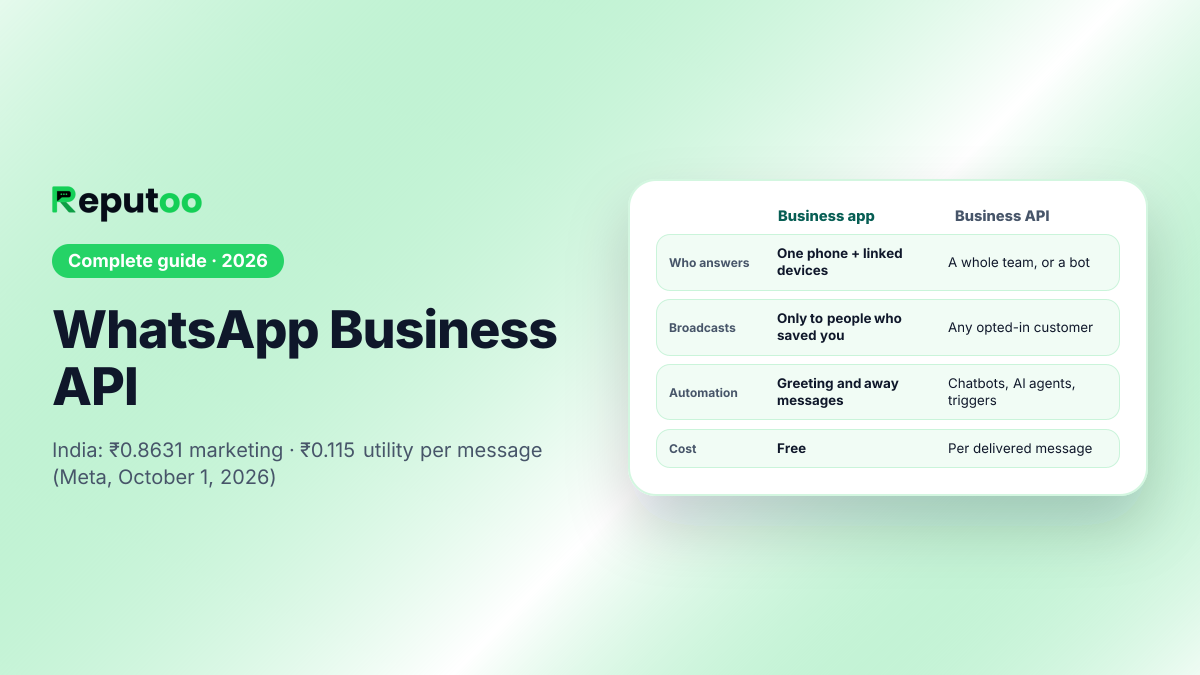
The WhatsApp Business API (today, Meta's Cloud API) lets software send and receive WhatsApp messages for a business. Access is free; messages are not. Meta charges per delivered message by category and by the recipient's country — in India ₹0.8631 per marketing message and ₹0.115 per utility or authentication message on the October 1, 2026 rate card, before GST — and since 1 October 2026 replies inside the 24-hour window are charged at the utility rate. To get it, verify your business with Meta, register a number that is not on the WhatsApp app, and connect it directly or through a provider.
Key takeaways
- The API has no licence fee — you pay Meta per delivered message, plus your provider's subscription if you use one.
- India, October 1, 2026 rate card: ₹0.8631 per marketing message, ₹0.115 per utility or authentication message, before 18% GST.
- Since 1 October 2026 free-form replies are charged at the utility rate; only conversations opened from a click-to-WhatsApp ad or Facebook Page button stay free, for 72 hours.
- Business-initiated messages must use a Meta-approved template and go only to people who opted in.
- Ask any provider whether they add a margin to Meta's rate and whether the WhatsApp Business Account will sit in your own Meta business portfolio.
On this page (11 sections)
- 1.Quick answer
- 2.What the WhatsApp Business API is
- 3.WhatsApp Business app vs WhatsApp Business API
- 4.What you can do with the API
- 5.WhatsApp Business API pricing
- 6.How to get the WhatsApp Business API
- 7.The rules that keep a number healthy
- 8.Direct Cloud API or a provider?
- 9.Moving your number to another provider
- 10.The WhatsApp Business API on Reputoo
- 11.Frequently asked questions
1.What the WhatsApp Business API is
WhatsApp has three ways for a business to use it. The WhatsApp app is for people. The WhatsApp Business app is a free app for one business on one phone (plus a few linked devices), with a profile, quick replies, away messages and a catalogue. The WhatsApp Business Platform — what everyone calls the WhatsApp Business API — is not an app at all. It is an interface that software uses to send and receive messages for a business, which is what makes campaigns, automation and a shared team inbox possible.
Meta hosts the API itself as the Cloud API. A business can call it directly and build its own tools, or use a platform built on top of it — Reputoo, WATI, Interakt, AiSensy and others — which supplies the inbox, campaign builder, chatbot and reports so that nobody has to write code. Either way the messages travel through the same Meta infrastructure at the same Meta prices; what differs is the software around them.
Two terms come up immediately. Your number lives inside a WhatsApp Business Account (WABA), which sits under your Meta business portfolio (formerly Business Manager) — see what a WABA is. And messages you start must use a template, a message Meta has approved in advance, while replies to a customer inside an open 24-hour window can be written freely.
2.WhatsApp Business app vs WhatsApp Business API
| WhatsApp Business app | WhatsApp Business API | |
|---|---|---|
| What it is | A free app on one phone | An interface software connects to |
| Who answers | One phone plus a few linked devices | Any number of agents in a shared inbox, or a bot |
| Broadcasts | Broadcast lists only reach people who saved your number | Campaigns to any opted-in customer, with approved templates |
| Automation | Greeting and away messages, quick replies | Chatbots, AI agents, triggers from your shop, CRM or booking system |
| Integrations | None | Shopify, WooCommerce, CRMs, payment links, webhooks |
| Cost | Free | Per delivered message (Meta), plus provider subscription if used |
| Number | Used in the app | Cannot be active in the WhatsApp app at the same time |
The rule of thumb: if one person can comfortably answer every chat on one phone and you do not need to message customers who have not saved your number, the app is enough. Once several people answer, you want automation, or you want to send a campaign to an opted-in list, you need the API. For the full side-by-side, see WhatsApp vs WhatsApp Business.
3.What you can do with the API
- Campaigns to opted-in customers. Offers, launches, festival greetings and win-back messages, sent from approved marketing templates to a segment of your list. See WhatsApp broadcast.
- Transactional messages. Order and booking confirmations, delivery updates, payment receipts and reminders, sent automatically from utility templates when something happens in your system.
- One-time passwords. Login and verification codes on authentication templates.
- Chatbots and AI agents. Answer common questions, take bookings and qualify leads around the clock, and hand the chat to a person when the customer asks. See WhatsApp chatbot and AI agents.
- A shared team inbox. Every conversation in one place, assigned to the right person, with notes and history. See WhatsApp inbox.
- Commerce. Product catalogues, carts and payment links in the chat — in India, UPI through a payment link.
- Integrations. Messages triggered from Shopify, WooCommerce, HubSpot, Zapier and your own systems by webhook.
What the API does not do is let you message anyone you like. Every business-initiated message needs the customer's opt-in and an approved template, and the number's quality rating — driven by blocks and reports — decides how many people you can reach. Those rules are covered below because they decide whether a WhatsApp programme works at all.
4.WhatsApp Business API pricing
Meta charges per delivered message. It replaced the old per-conversation model on 1 July 2025. The price depends on two things: the category of the template — marketing, utility or authentication — and the country of the person receiving it, not your own.
On Meta's October 1, 2026 rate card, India's prices in rupees are:
| Category | Used for | Price per message (India) | Per 1,000 messages |
|---|---|---|---|
| Marketing | Offers, launches, win-back, newsletters | ₹0.8631 | ≈ ₹863 |
| Utility | Confirmations, reminders, order and delivery updates | ₹0.115 | ≈ ₹115 |
| Authentication | One-time passwords | ₹0.115 | ≈ ₹115 |
All before 18% GST. Two changes matter for budgeting. Since 1 October 2026, replies are charged too: free-form messages you send inside the 24-hour customer-service window, and utility templates sent in that window, cost the utility rate for the customer's country. One thing stays free: a conversation a customer opens from a click-to-WhatsApp ad or a Facebook Page call-to-action is free for 72 hours.
A worked month in India. A business sending 5,000 reminders and confirmations, 4,000 campaign messages and 3,000 replies pays Meta about ₹575 + ₹3,452 + ₹345 = ₹4,372 before GST. Marketing messages are most of the bill, which is why sending them only to people likely to act is the single biggest cost lever. Try your own volumes in the WhatsApp API cost calculator.
Rates differ widely by country. The same card, in US dollars per message:
| Recipient's country | Marketing | Utility | Authentication |
|---|---|---|---|
| India | $0.0118 | $0.0014 | $0.0014 |
| United States | $0.0250 | $0.0034 | $0.0034 |
| United Kingdom | $0.0635 | $0.0220 | $0.0220 |
| UAE | $0.0576 | $0.0157 | $0.0157 |
| Saudi Arabia | $0.0576 | $0.0107 | $0.0107 |
| Brazil | $0.0625 | $0.0068 | $0.0068 |
| Indonesia | $0.0411 | $0.0250 | $0.0250 |
| Germany | $0.1365 | $0.0550 | $0.0550 |
On top of Meta's charges sits whatever your provider charges: usually a monthly subscription, sometimes per seat or per contact, and sometimes a margin added to every message. The margin is the cost people miss — a few paise per message is a large share of a ₹0.115 utility message. Reputoo passes Meta's rate through with no markup. Indian businesses should also ask for a GST invoice in rupees: Meta began billing eligible Indian businesses in INR on 1 January 2026 and says every WhatsApp Business Account of an eligible business must move to INR by 31 December 2026.
5.How to get the WhatsApp Business API
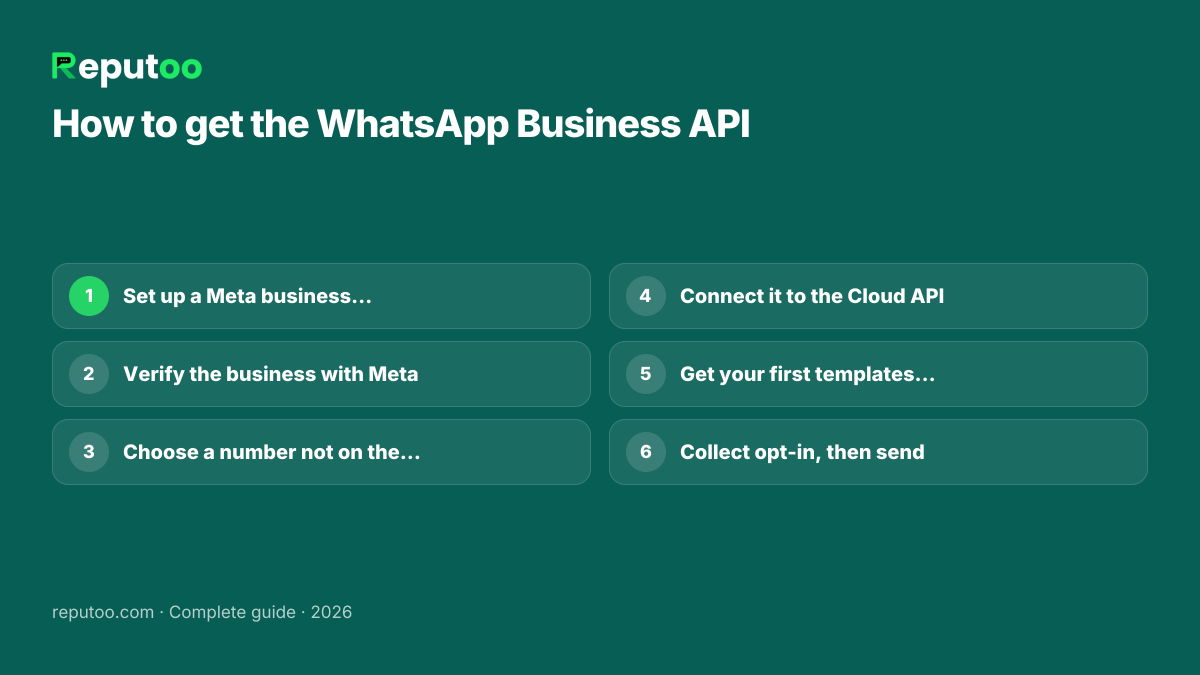
- Set up a Meta business portfolio (business.facebook.com) with your legal business name, website and contact details.
- Verify the business with Meta. Submit registration documents in the business's name — in India, typically a GST certificate, certificate of incorporation or Udyam registration. Verification usually takes a few working days, and you can start with limits before it completes.
- Choose the number. It must be able to receive a verification SMS or call, and it cannot be active on the WhatsApp or WhatsApp Business app at the same time — delete that account first, or use a new number.
- Pick a display name that matches your business; Meta reviews it.
- Connect the number to the Cloud API — yourself, through Meta's developer tools, or through a provider's guided sign-up, which creates the WABA inside your own portfolio.
- Create your first templates — a utility template for confirmations and one marketing template — and submit them. Review usually takes minutes to a day.
- Collect opt-in from the customers you will message, and record when and where each one agreed.
The step-by-step version, with the screens, is in how to get the WhatsApp Business API.
6.The rules that keep a number healthy
- Opt-in first. Meta requires a customer's permission before you message them. In India the Digital Personal Data Protection Act, 2023 adds a clear purpose and consent for using their data. See WhatsApp and the DPDP Act.
- Templates for anything you start. Business-initiated messages must use an approved template in the right category; a promotional message filed as utility is re-categorised or rejected.
- The 24-hour window. When a customer messages you, you can reply freely for 24 hours. After that, you need a template again.
- Quality rating and messaging limits. Meta caps how many different customers a business can start conversations with in a rolling 24 hours. The cap starts low and rises automatically when you use most of it while your quality rating stays high; blocks and reports lower the rating and can stall or reduce it. The current figure for your number is in WhatsApp Manager.
- No DLT in India. TRAI's DLT registration governs commercial SMS, not WhatsApp. WhatsApp templates are approved by Meta instead.
- The green tick is Meta's badge for official business accounts that Meta judges notable. Applying does not guarantee it, and it is not needed to use the API. See green tick verification.
Tools that promise "unlimited free WhatsApp messages" are not on the API at all: they automate WhatsApp Web, and the numbers that use them get banned. See free WhatsApp bulk senders.
7.Direct Cloud API or a provider?
Going direct to Meta's Cloud API costs nothing beyond the message charges, and gives a development team full control. It also means building everything a non-technical colleague will touch: the inbox, template management, campaign sending, opt-in records, reports, and the webhook handling for incoming messages and delivery receipts. It is the right choice when WhatsApp is one channel inside a product you already build. See what the Cloud API is.
A provider gives you those tools on day one for a subscription. For most businesses that is the faster and cheaper path, as long as the provider is honest about five things:
- Message margin. Do they bill Meta's rate, or Meta's rate plus a markup?
- Who owns the WABA. It should sit in your own Meta business portfolio, so you can leave.
- What the plan includes. Seats, contacts, chatbot or AI sessions, and onboarding — included or sold separately.
- Invoices. A GST invoice in rupees for Indian businesses.
- Support. Who helps when a template is rejected or the quality rating drops.
Our comparison of providers on those points is in the best WhatsApp API providers in India and worldwide, with head-to-heads against WATI, Interakt and AiSensy.
8.Moving your number to another provider
A WhatsApp Business API number can move between providers without changing the number. Meta supports migrating a phone number from one WhatsApp Business Account to another, and the number keeps its display name, quality rating and messaging limit. What does not travel is the old provider's own data: chat history, contact tags, chatbot flows and campaign reports stay behind, so export what you need before you start.
In practice there are three steps. Turn off two-step verification on the number at the old provider, so the new one can register it. Start the migration from the new provider and confirm with the one-time code Meta sends to the number. Re-create any message templates that were not carried over and wait for Meta to approve them. Messaging pauses only for the few minutes the switch takes.
One condition decides whether you can leave at all: the WhatsApp Business Account has to sit in your own Meta business portfolio. If a provider created it inside theirs, ask them to hand it over before you try to migrate — and agree this in writing with any provider before you sign up.
9.The WhatsApp Business API on Reputoo
Reputoo is software built on the official WhatsApp Business API for businesses that sell through conversations and appointments. What that means in practice:
- No markup on Meta's rates — you pay Meta's official price for every message, and Reputoo's plan separately. Plans start at ₹999 a month; see pricing.
- Your WABA in your portfolio, connected through Meta's guided sign-up, so the number is always yours to move.
- Campaigns, inbox, chatbot and AI agents in one place, with replies in 36 languages including Hindi and the major Indian languages.
- An AI agent that also answers the phone — the same agent takes WhatsApp chats and ordinary phone calls, and books appointments into a full booking back office. See AI receptionist.
- Payments and invoices for India — UPI and card payment links in the chat through Razorpay, and GST invoices.
Where Reputoo is not the best fit — a large support team that only needs a shared inbox, or a developer team that wants the raw API — the comparisons above say so plainly.
10.Frequently asked questions
Is the WhatsApp Business API free?
Access is free — Meta charges no licence or platform fee for the Cloud API. Messages are not: Meta charges per delivered message by category and by the recipient's country (in India ₹0.8631 per marketing and ₹0.115 per utility message on the October 1, 2026 card, before GST). Only conversations a customer opens from a click-to-WhatsApp ad or Facebook Page button are free, for 72 hours.
How much does the WhatsApp Business API cost in India?
Meta's October 1, 2026 INR rate card: ₹0.8631 per marketing message, ₹0.115 per utility message and ₹0.115 per authentication message, all before 18% GST. Since 1 October 2026 replies inside the 24-hour window cost the utility rate too. A provider's subscription is on top; check whether they add a margin to each message.
What is the difference between the WhatsApp Business app and the API?
The app is a free phone app for one business on one device. The API is an interface software connects to: many agents in one inbox, chatbots and AI agents, campaigns to opted-in customers, and integrations with your shop or CRM. The API charges per message; the app is free.
How long does it take to get the WhatsApp Business API?
Connecting a number takes minutes once your Meta business portfolio is set up. Business verification usually takes a few working days, and template review minutes to a day. Through a provider's guided sign-up most businesses send their first approved message the same week.
Can I use my existing WhatsApp number for the API?
Yes, but not in both places at once. A number on the API cannot be active in the WhatsApp or WhatsApp Business app, so delete the app account first (chat history in the app does not move to the API), or use a new number.
Do I need a developer to use the WhatsApp Business API?
Only if you connect to the Cloud API directly and build your own tools. A provider gives you the inbox, campaign builder and chatbot without code.
Do I need DLT registration to send WhatsApp messages in India?
No. DLT is TRAI's framework for commercial SMS. WhatsApp templates are approved by Meta instead, but you still need each customer's opt-in.
Can I send WhatsApp messages to customers who have not saved my number?
Yes — on the API they do not need to save your number. They do need to have opted in to hear from you, and messages you start must use an approved template.
Is Reputoo a Meta partner?
No. Reputoo is software built on Meta's official WhatsApp Business API (the Cloud API). Your WhatsApp Business Account sits in your own Meta business portfolio, and Meta bills its message charges at its official rate.
Sources
Written by Riya · Reputoo
Riyawrites Reputoo's guides on the WhatsApp Business API, chatbots and voice AI for Indian businesses. Prices are checked against Meta's published rate card (14 October 2026).
Get the WhatsApp Business API with Reputoo
1,000+ businesses onboarded · Member of NVIDIA Inception · Official WhatsApp Business API, no per-message markup.