
WhatsApp Marketing

WhatsApp Broadcast Message Examples: 30 Messages You Can Copy and Adapt

Riya · ReputooUpdated 25 October 202610 min read
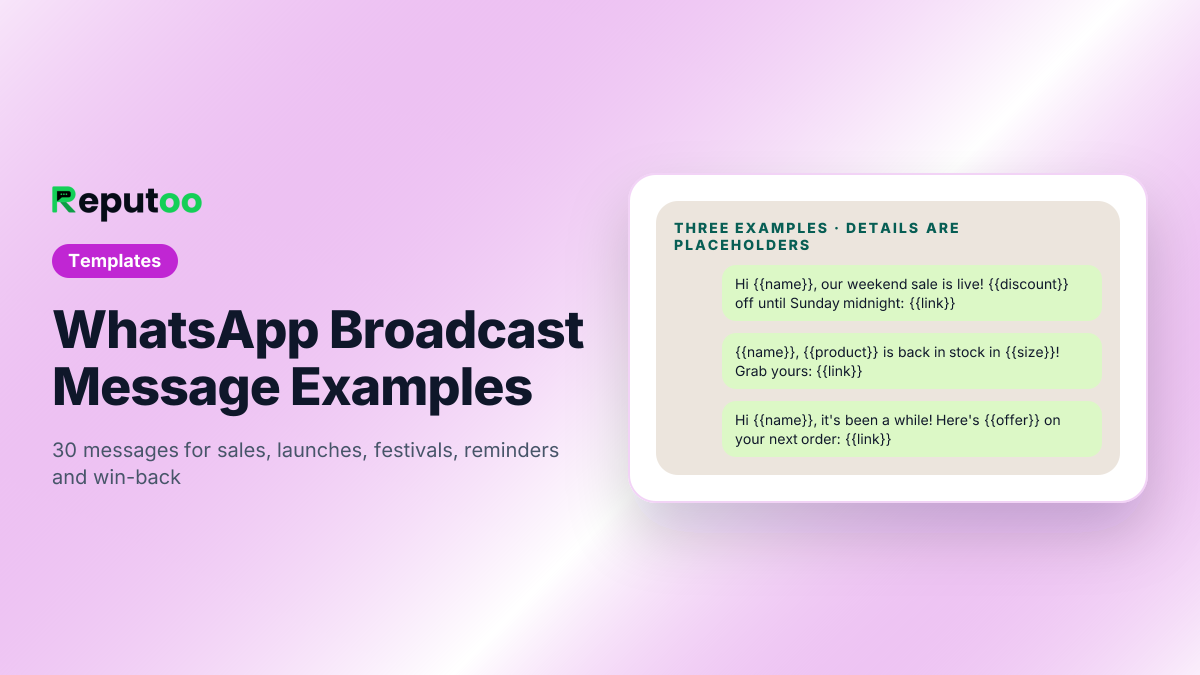
WhatsApp broadcast message examples for businesses
Sale, restock and win-back — three of the 30 examples.
On this page · 15 chapters
  1. 01 · Sale and Discount Broadcast Messages
  2. 02 · New Arrival and Product Launch Messages
  3. 03 · Festival and Occasion Greetings
  4. 04 · Reminder and Update Broadcasts
  5. 05 · Restock and Back-in-Stock Alerts
  6. 06 · Win-Back and Re-engagement Messages
  7. 07 · Review, Referral and Event Messages
  8. 08 · Broadcast Message Examples by Industry
  9. 09 · Test Two Versions Before You Settle
  10. 10 · What Makes a WhatsApp Broadcast Message Work
  11. 11 · Template Categories and What Each Costs
  12. 12 · Mistakes That Get Broadcasts Rejected or Blocked
  13. 13 · Sending These Messages with Reputoo
  14. 14 · FAQs
  15. 15 · Final Thoughts

The hardest part of a WhatsApp broadcast is not the sending — it is the blank message box. What do you say so that customers read it, tap the button and do not block you? The answer depends on the moment: a sale reads differently from a reminder, and a festival greeting differently from a win-back message.

Below are 30 WhatsApp broadcast message examples, grouped by occasion, written the way messages that perform well usually read: short, personal, one clear next step. Words in double braces — {{name}}, {{product}}, {{link}} — are variables that a WhatsApp bulk sender fills in for each customer.

After the examples you will find what makes a broadcast message work, how Meta categorises and prices each kind, and the mistakes that get templates rejected.

Chapter 01

Sale and Discount Broadcast Messages

Sale messages are marketing messages. Lead with the offer, say when it ends, and give one link.

1. Weekend sale

Hi {{name}}, our weekend sale is live! Get {{discount}} off everything until Sunday midnight. Shop now: {{link}}

2. Members-only offer

{{name}}, as one of our regular customers you get early access: {{discount}} off for the next 24 hours, before we open the sale to everyone. {{link}}

3. Clearance

Last pieces, lowest prices. Our end-of-season clearance has {{product category}} from {{price}}. Sizes are going fast — {{link}}

4. Free delivery

Free delivery on every order today, {{name}} — no minimum. Your favourites are waiting: {{link}}

5. Bundle offer

Buy any 2 {{product category}} and get the 3rd free, this week only. Mix and match here: {{link}}
Chapter 02

New Arrival and Product Launch Messages

Launch messages work best when they connect the new product to what the customer bought before.

6. New collection

Hi {{name}}, our new {{collection}} collection just landed — picked with your last order in mind. Take a look: {{link}}

7. Product launch

It's here! {{product}} is now available. Be one of the first to try it: {{link}}

8. Pre-order

{{name}}, {{product}} launches on {{date}}. Reply YES to reserve yours before it goes on general sale.

9. Menu or service update

New on our menu this week: {{item}}. Order on WhatsApp — just reply with "Menu" and we'll send it.

For restaurants, salons and clinics, "service update" messages are often more useful than discounts.

Chapter 03

Festival and Occasion Greetings

Greetings are marketing messages too, even without an offer. Keep them warm and short; add an offer only if it is real.

10. Diwali

Wishing you and your family a bright and happy Diwali, {{name}}! As a thank-you, enjoy {{discount}} off until {{date}}: {{link}}

11. New Year

Happy New Year, {{name}}! Thank you for being with us this year. Here's a little something to start {{year}}: {{offer}}.

12. Birthday

Happy birthday, {{name}}! 🎂 Your birthday gift: {{offer}}, valid for 7 days. {{link}}

13. Anniversary of first order

It's been a year since your first order with us, {{name}}. Thank you! Here's {{offer}} to celebrate: {{link}}

More greetings for every occasion are in Diwali wishes for customers and WhatsApp greeting messages.

Chapter 04

Reminder and Update Broadcasts

Reminders and updates are usually utility messages — cheaper, and expected by the customer. Keep them purely informational: an offer inside a utility template gets it re-filed as marketing.

14. Appointment reminder

Hi {{name}}, a reminder of your appointment with {{staff}} on {{date}} at {{time}}. Reply 1 to confirm or 2 to reschedule.

15. Payment reminder

Hi {{name}}, your payment of {{amount}} for {{invoice no}} is due on {{date}}. Pay securely here: {{payment link}}

16. Class or batch update

Hi {{name}}, tomorrow's {{class}} batch moves to {{time}}. See you there!

17. Order shipped

Good news, {{name}} — order {{order no}} has shipped. Track it here: {{tracking link}}

18. Holiday hours

Hi {{name}}, our store will be closed on {{date}} for {{occasion}} and open as usual from {{date}}.

Order messages are covered in depth in WhatsApp order updates, and reminder templates in WhatsApp reminder messages.

Chapter 05

Restock and Back-in-Stock Alerts

Back-in-stock messages go only to customers who asked about the item — which is why they convert so well.

19. Back in stock

{{name}}, {{product}} is back in stock in {{size}}! It sold out last time, so grab yours now: {{link}}

20. Low stock

Only a few {{product}} left in your size, {{name}}. Order here before it's gone: {{link}}

21. Price drop

The {{product}} you looked at is now {{new price}} (was {{old price}}). {{link}}

Chapter 06

Win-Back and Re-engagement Messages

Win-back messages go to customers who have not bought in a while. Name the gap honestly and give a reason to return.

22. We miss you

Hi {{name}}, it's been a while! Here's {{offer}} on your next order, valid till {{date}}: {{link}}

23. Refill reminder

Running low on {{product}}, {{name}}? Reorder in one tap: {{link}}

24. Service due

Hi {{name}}, it's been {{months}} months since your last {{service}}. Shall we book your next visit? Reply YES and we'll send available slots.

Timing and sequencing for these are in WhatsApp re-engagement campaigns.

Chapter 07

Review, Referral and Event Messages

25. Review request

Thanks for your order, {{name}}! How did we do? Leave a quick review here — it takes 30 seconds: {{review link}}

26. Feedback

Hi {{name}}, how was your visit today? Reply with a number from 1 to 5.

27. Referral

Love {{brand}}? Share this link with a friend — they get {{offer}} and so do you: {{referral link}}

28. Event invitation

You're invited, {{name}}! Join us for {{event}} on {{date}} at {{venue}}. Reply YES to save your spot.

29. Webinar or workshop

Free workshop: {{topic}} on {{date}} at {{time}}. Register here: {{link}}

30. B2B follow-up

Hi {{name}}, following up on the quote for {{item}} we sent on {{date}}. Any questions? Just reply here.

Chapter 08

Broadcast Message Examples by Industry

The same five rules work in every business; only the occasion changes. A few starting points:

Restaurant

Hi {{name}}, this weekend only: our chef's special {{dish}} is back. Reserve a table by replying with the time and number of guests.

Salon or spa

Hi {{name}}, it's been {{weeks}} weeks since your last {{service}}. {{stylist}} has slots on {{day}} — reply YES and we'll send the times.

Clinic

Hi {{name}}, your six-monthly check-up with Dr {{doctor}} is due. Reply 1 to book this week or 2 for next week.

Coaching or school

Admissions for the {{course}} batch starting {{date}} are open, {{name}}. Seats are limited — reply INFO for fees and timings.

Real estate

Hi {{name}}, new {{bhk}} homes in {{area}} from {{price}}. Site visits this Saturday and Sunday — reply with a time that suits you.

Retail store

Fresh stock just arrived at our {{city}} store, {{name}}: {{category}} from {{price}}. Visit us or order on WhatsApp: {{link}}

Notice that most of these ask for a reply instead of sending a link. For local businesses, a reply starts a conversation your team (or your AI agent) can turn into a booking — and replies tend to be good for your number's quality rating, because the customer clearly wanted the message.

Chapter 09

Test Two Versions Before You Settle

No example is right for every audience. Before you make a message your standard, send two versions to two small, similar segments — say 300 customers each — and compare clicks and replies a day later. Change one thing at a time: the first line, the offer, the button, or the send time. Keep the winner, then test the next change against it.

Over a few campaigns this tells you more about your customers than any list of examples: whether they respond to discounts or to new arrivals, to evening sends or morning ones, to a link or to "reply YES".

Chapter 10

What Makes a WhatsApp Broadcast Message Work

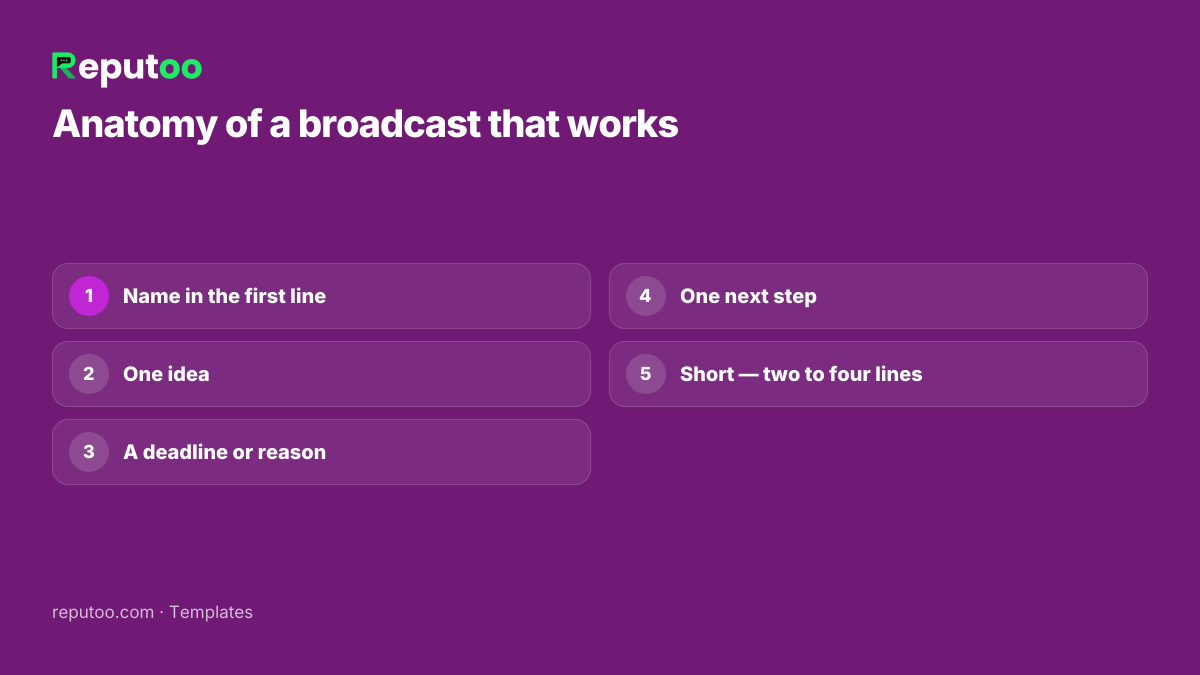
All 30 examples follow the same five rules. Use them to write your own:

  1. Name in the first line. A message that starts with the customer's name reads like a message, not an advert.
  2. One idea. One offer, one update, one question. Two offers in one message halve the attention each gets.
  3. A deadline or reason. "Until Sunday", "only a few left", "it's been a while" — something that answers "why now?".
  4. One next step. A single button or link, or a simple reply ("Reply YES").
  5. Short. Most good broadcasts fit on a phone screen without scrolling — two to four lines.

Format bold and italics the WhatsApp way with the WhatsApp text formatter, and fill messages with each customer's details using the bulk message personaliser.

Anatomy of a WhatsApp broadcast message that works
The five rules every example follows.
Chapter 11

Template Categories and What Each Costs

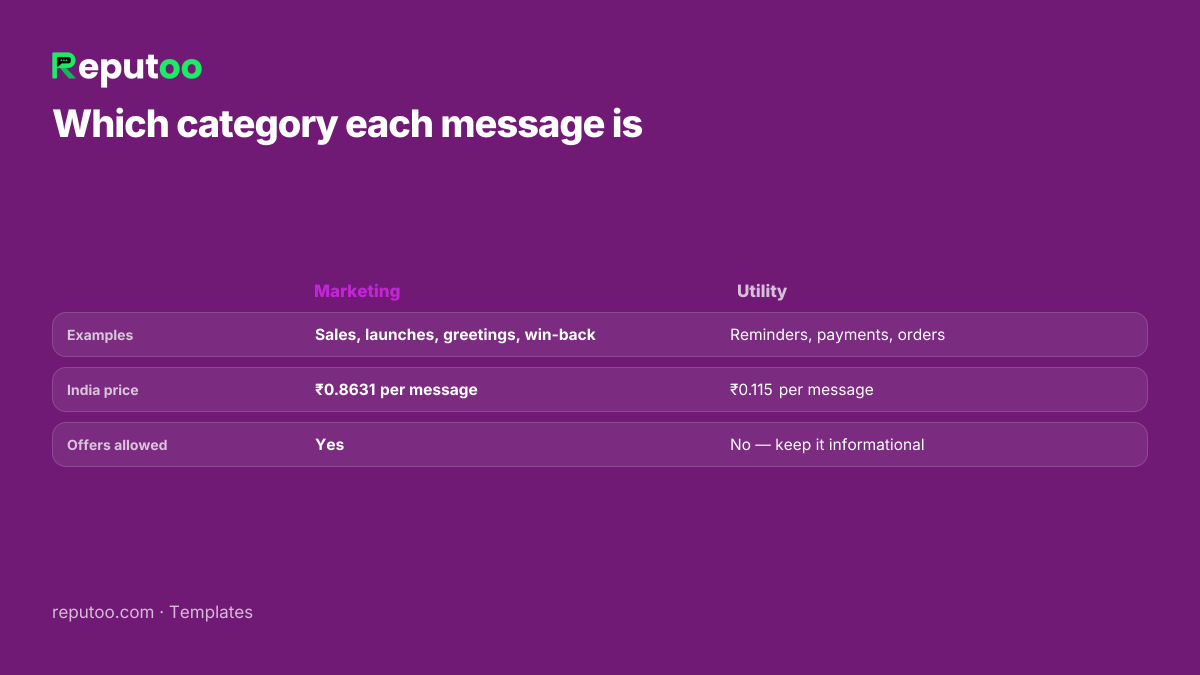
On the official WhatsApp Business API, every broadcast is a template, and Meta files each template into a category that sets its price. For Indian numbers on the October 1, 2026 rate card, before GST:

  • Marketing — sales, launches, greetings, win-back, reviews: ₹0.8631 per message, about ₹863 per 1,000.
  • Utility — reminders, payment and order updates: ₹0.115 per message, about ₹115 per 1,000.
  • Authentication — one-time passwords: ₹0.115 per message.

Examples 14–18 above are utility; the rest are marketing. If a "utility" template contains an offer, Meta re-files it as marketing. Estimate a send with the broadcast cost calculator.

WhatsApp broadcast message categories and prices
Marketing or utility decides the price (Meta rate card October 1, 2026).
Chapter 12

Mistakes That Get Broadcasts Rejected or Blocked

  • Variables with no context. A template that is mostly {{1}} {{2}} {{3}} is often rejected — Meta needs to see what the message says.
  • Wrong category. Offers filed as utility get re-categorised; persistent mismatches can get templates paused.
  • Messaging people who did not opt in. The fastest route to blocks, reports and a lower quality rating.
  • No way to stop. Add a "Stop offers" button or a reply keyword to marketing messages, and honour it.
  • Too often. Daily promotions train customers to block you. Once or twice a week is plenty for most businesses.
  • Shortened or suspicious links. Use your own domain where you can; unknown short links look like spam.

Check a template against Meta's rules before you submit it with the WhatsApp template checker.

Chapter 13

Sending These Messages with Reputoo

Every example above can be sent as a broadcast on Reputoo: save it as a template, map the variables to your contact fields, pick a segment — recent buyers, inactive customers, people who asked about a product — and send now or schedule it. You see each message delivered, read, clicked and replied, and replies arrive in your team inbox.

Utility messages such as reminders and order updates can also run on their own — triggered by a booking, a payment or a Shopify order — so nobody has to remember to send them. Start with an official WhatsApp bulk message sender and the broadcast feature.

Chapter 14

FAQs

What is a good WhatsApp broadcast message?

One that starts with the customer's name, says one thing, gives a reason to act now and ends with a single button or link. Two to four lines is usually enough.

How do I write a WhatsApp marketing message?

Lead with the offer or news, personalise the first line, add a deadline, include one link or button, and add a way to stop marketing messages. On the WhatsApp Business API it must be submitted as a marketing template.

Can I use emojis in WhatsApp broadcast messages?

Yes, in moderation. One or two emojis can make a message feel friendly; a message full of them reads like spam.

How long should a WhatsApp broadcast message be?

Short enough to read without scrolling — usually two to four lines. Put details behind the link.

How often should I send broadcast messages?

For most businesses, one or two marketing broadcasts a week. Reminders and order updates can go whenever they are needed, because customers expect them.

Do broadcast messages cost money?

From the WhatsApp app, broadcast lists are free but limited to 256 contacts who saved your number. On the WhatsApp Business API, Meta charges per delivered message — in India ₹0.8631 per marketing and ₹0.115 per utility message on the October 1, 2026 rate card.

Chapter 15

Final Thoughts

Good WhatsApp broadcast messages are not clever — they are clear. The customer's name, one reason, one step. Pick the examples that fit your business, make them sound like you, and test two versions against each other before you settle on one.

The best message you will ever send is the one your customers were half-expecting: the restock they asked about, the reminder they needed, the offer on the thing they already love.

Written by Riya · Reputoo. Riya writes Reputoo’s guides on WhatsApp for business, AI agents and voice AI for Indian businesses.

← Back to all articles
Put it to work

Send These Messages with Reputoo

1,000+ businesses onboarded · Member of NVIDIA Inception · Official WhatsApp Business API, no per-message markup.

Get the details on WhatsAppNo payment needed. We will message you on WhatsApp.
+91
By sending, you agree to be contacted on WhatsApp. Prefer to write first? Message us