Automation

WhatsApp Autoresponder: How to Set Up Automatic Replies That Actually Help Customers

Riya · ReputooUpdated 25 October 202610 min read
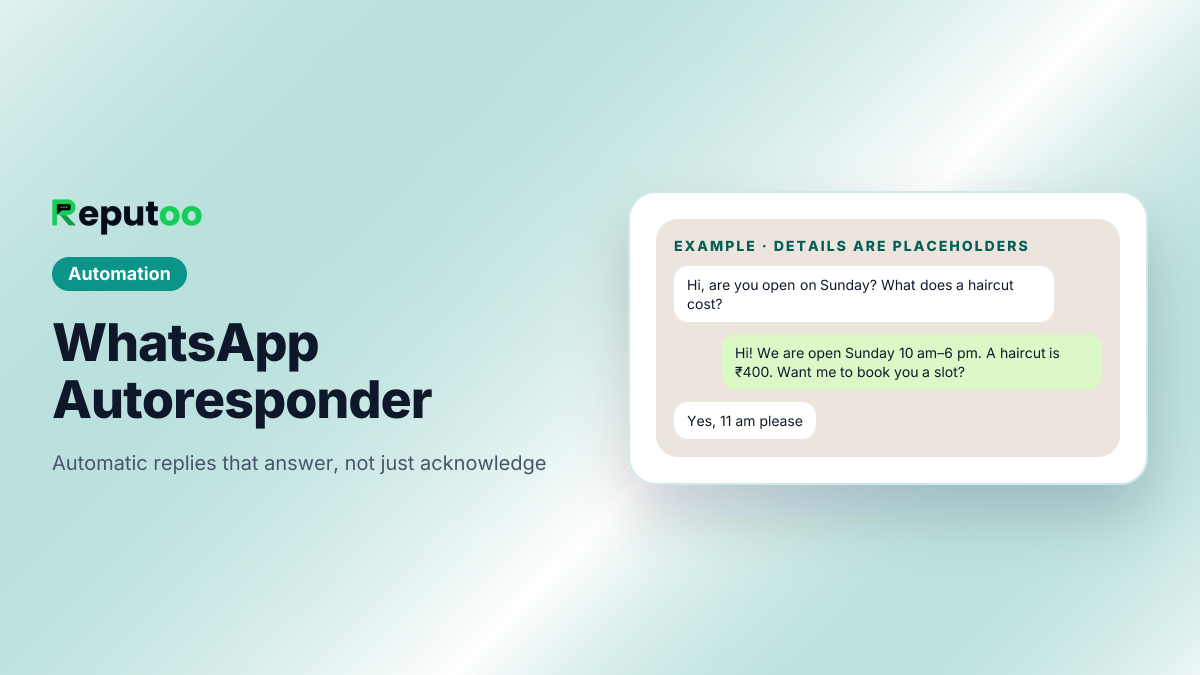
WhatsApp autoresponder sending an automatic reply
An automatic reply that answers the question and offers the next step. Details are placeholders.
On this page · 13 chapters
  1. 01 · What a WhatsApp Autoresponder Is
  2. 02 · Free Automatic Replies in the WhatsApp Business App
  3. 03 · Autoresponder Apps: What They Do and the Catch
  4. 04 · Automatic Replies on the WhatsApp Business API
  5. 05 · Business App vs Autoresponder Apps vs API
  6. 06 · What Automatic Replies Cost
  7. 07 · Writing Automatic Replies That Help
  8. 08 · Autoresponder Examples by Situation
  9. 09 · Common Autoresponder Mistakes
  10. 10 · When to Move from the App to the API
  11. 11 · Set Up Automatic Replies on Reputoo
  12. 12 · FAQs
  13. 13 · Final Thoughts

Customers message businesses on WhatsApp at all hours and expect an answer quickly. A WhatsApp autoresponder makes sure nobody waits in silence: it replies automatically when you are busy, closed or simply away from the phone.

There are three very different kinds of WhatsApp autoresponder. The free WhatsApp Business app has simple automatic messages built in. Third-party "autoresponder" apps on Android go further by reading your notifications. And on the official WhatsApp Business API, automatic replies can range from keyword responses to an AI agent that understands the question and answers it properly.

This guide shows how to set up each one, what they can and cannot do, what they cost, and how to write automatic replies customers find useful rather than annoying.

Chapter 01

What a WhatsApp Autoresponder Is

A WhatsApp autoresponder is anything that sends a reply to an incoming WhatsApp message without a person typing it. The simplest ones send the same message to everyone — "Thanks for your message, we will reply soon". The better ones look at what the customer wrote and reply to that: the price list when someone asks "rate?", the address when someone asks "where are you?", a booking when someone asks for a slot.

Autoresponders do three jobs for a business:

  • Acknowledge — the customer knows the message arrived and when to expect an answer.
  • Answer — common questions get an immediate reply without anyone on the team.
  • Route — the conversation moves to the right next step: a booking, a payment link, or a person.
Chapter 02

Free Automatic Replies in the WhatsApp Business App

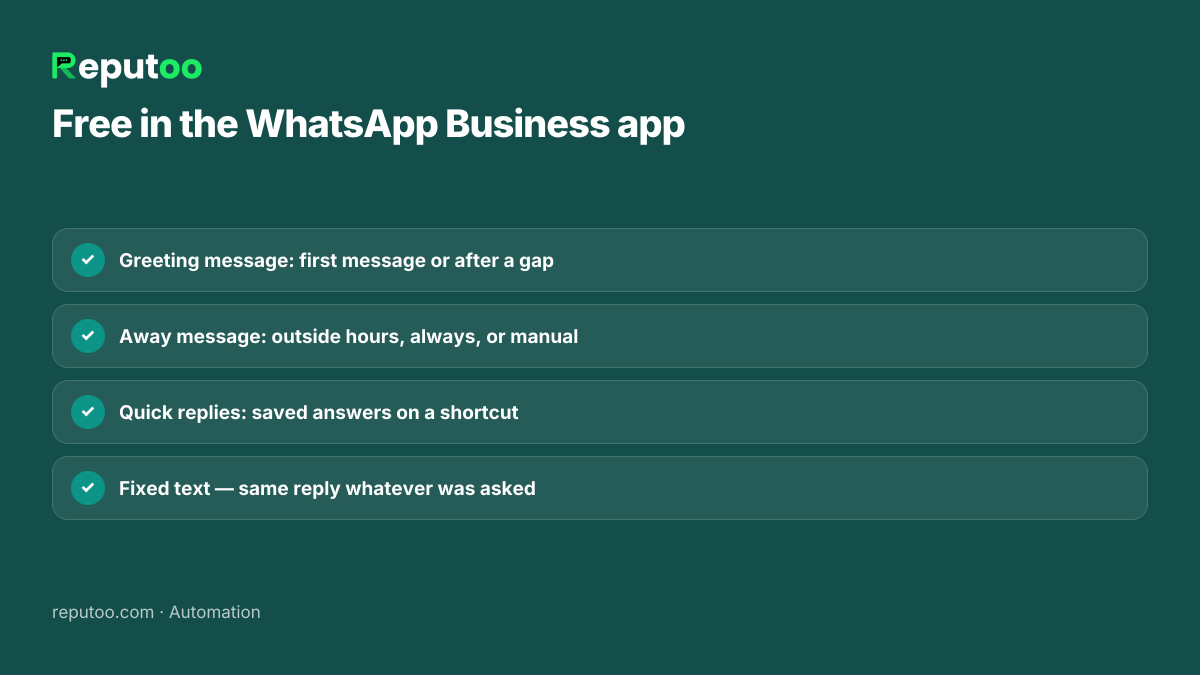
The free WhatsApp Business app has three automatic tools, found under its business tools menu:

  1. Greeting message — sent automatically when a customer messages you for the first time, or after a long gap. Use it to welcome them and say what you can help with.
  2. Away message — sent when you are unavailable. You can schedule it for outside your business hours, send it always, or switch it on manually, and choose who receives it.
  3. Quick replies — saved answers you insert with a shortcut such as "/price". Not automatic, but they turn a two-minute typed reply into two seconds.

To set them up: open WhatsApp Business, go to Settings → Business tools, choose Greeting message or Away message, write the text and pick the schedule and recipients. Ready-made wording is in greeting messages and auto-reply messages.

These are free and safe, but they are fixed messages: the same text for everyone, whatever they asked.

Greeting message, away message and quick replies in WhatsApp Business
Free, official and simple — but the same text for everyone.
Chapter 03

Autoresponder Apps: What They Do and the Catch

Search the Play Store for "autoresponder for WA" and you will find apps that promise keyword replies, replies in groups and even AI answers from the WhatsApp app itself. Most of them work by reading the notifications on your phone and replying through them.

That design has limits worth knowing before you rely on one:

  • They are not part of WhatsApp. They are unofficial add-ons, so updates to WhatsApp or Android can break them without warning.
  • Your phone has to be on and connected. If it is off, out of battery or the app is closed by the system, nothing replies.
  • They read your notifications. That means a third-party app sees your customers' messages — think about who makes it and where that data goes.
  • One phone, one person. They do not give your team a shared view of conversations.

For a sole trader they can be a stopgap. For a business that depends on WhatsApp, the official route below is more reliable.

Chapter 04

Automatic Replies on the WhatsApp Business API

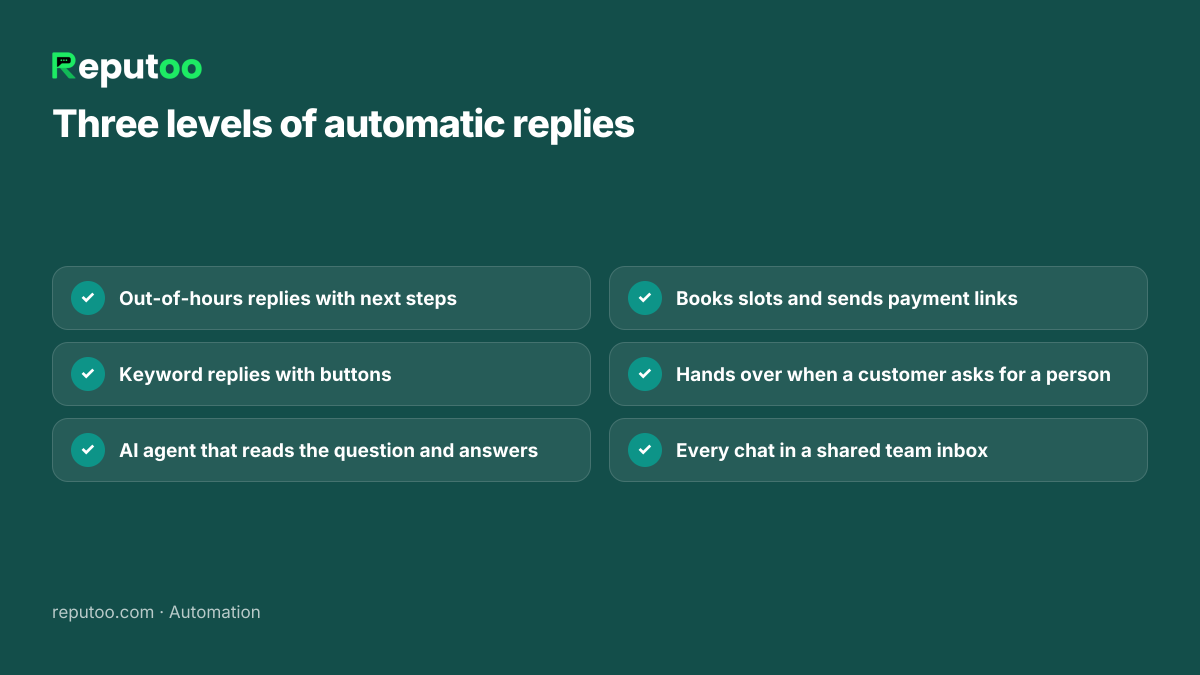
On the official WhatsApp Business API, automatic replies run on a server, not your phone, so they work 24/7 whether or not anyone is online. On Reputoo they come in three levels:

  • Out-of-hours replies. Outside your business hours, customers get an automatic message saying when you will be back — and, unlike the app, it can include useful next steps.
  • Keyword replies. Messages containing words like "price", "menu" or "location" get a set answer, with buttons for the next step. See keyword automation.
  • An AI agent. Instead of matching words, it reads what the customer wrote, answers from your website and price list, books appointments, sends payment links and passes the chat to your team when the customer asks for a person. See AI WhatsApp chatbot.

Every conversation — automatic or not — lands in a shared team inbox, so anyone on the team can step in.

Three levels of automatic replies on the WhatsApp Business API
From a fixed away message to an agent that answers.
Chapter 05

Business App vs Autoresponder Apps vs API

WhatsApp Business appAutoresponder appsWhatsApp Business API
OfficialYesNoYes
Replies to what was askedNo — fixed messagesKeyword matchingKeywords or an AI agent
Works when your phone is offYes (built in)NoYes
Team can see conversationsLinked devices onlyNoShared inbox
Can book or take paymentNoNoYes
CostFreeFree or app subscriptionPer reply (Meta) + platform
Chapter 06

What Automatic Replies Cost

Automatic replies in the WhatsApp Business app are free. On the WhatsApp Business API, Meta charges for replies too since 1 October 2026: a reply inside the 24-hour window after a customer writes costs the utility rate for their country — ₹0.115 per message in India on the October 1, 2026 rate card, before GST. Conversations a customer opens from a click-to-WhatsApp ad or a Facebook Page button stay free for 72 hours.

That changes how a good autoresponder is written: one complete reply is cheaper — and better for the customer — than three short ones. A business answering 2,000 customer messages a month with single, complete replies pays about ₹230 in Meta charges. Check your own numbers with the WhatsApp API cost calculator.

Chapter 07

Writing Automatic Replies That Help

  • Say when a person will reply. "We are back at 10 am and will reply first thing" beats "We will get back to you soon".
  • Answer the obvious questions. Hours, location, a link to the price list or menu — whatever customers ask most.
  • Give a next step. "Reply BOOK to see free slots" or a button, so the conversation can continue without you.
  • Keep it short. Three or four lines; customers skim.
  • Do not reply twice. A greeting followed by an away message followed by a keyword reply is noise. Set the rules so one message goes out.
  • Let people reach a person. Always.

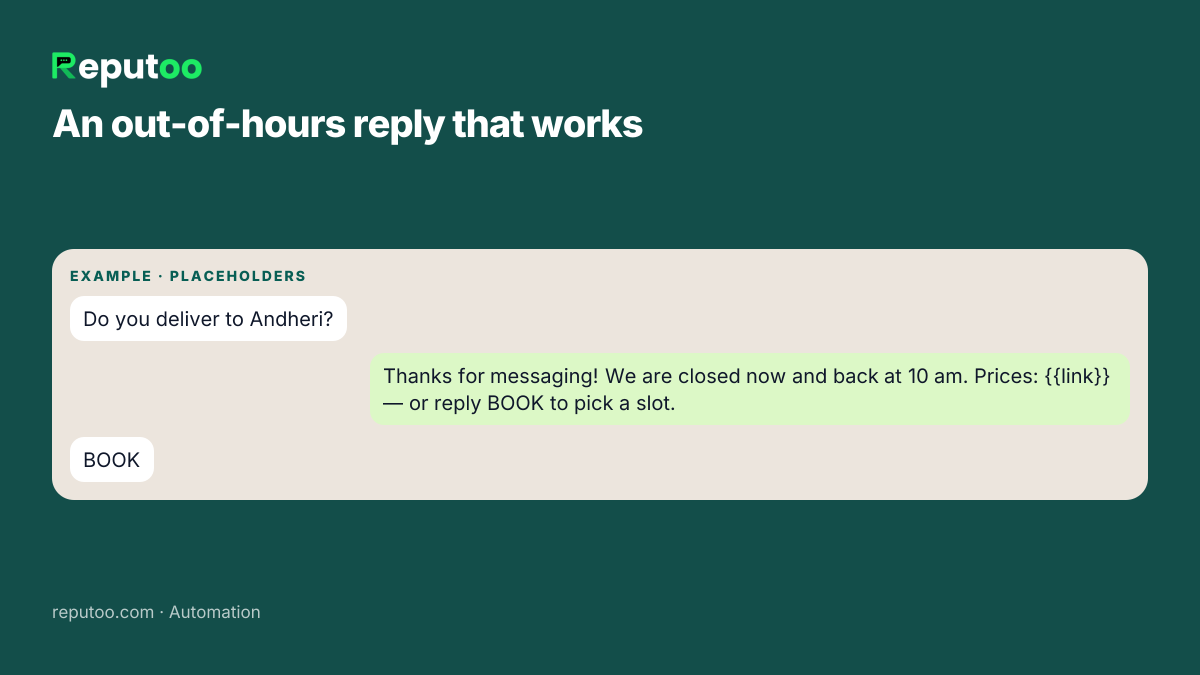
An example out-of-hours reply that works:

Thanks for messaging {{business}}! We are closed right now and back at 10 am. Meanwhile: see our prices here {{link}}, or reply BOOK to pick an appointment slot.

Example out-of-hours automatic reply on WhatsApp
Say when a person will reply, and give a next step.
Chapter 08

Autoresponder Examples by Situation

Copy these and change the details. More are in WhatsApp auto-reply messages.

First message from a new customer

Hi, welcome to {{business}}! Ask us anything — prices, timings or availability — and we will reply right here. To book directly, reply BOOK.

Outside business hours

Thanks for your message! Our team is offline until {{opening time}}. Your message is saved and we will reply first thing. Urgent? Call {{phone}}.

Holiday or festival closure

We are closed for {{holiday}} and reopen on {{date}}. Orders placed now will be processed on {{date}}. Thank you for your patience!

Busy hours

We are with other customers right now and will reply within {{time}}. Meanwhile, our price list is here: {{link}}.

Order status question

To check your order, please share your order number. You can also track it here: {{tracking link}}.

Price enquiry

Here is our full price list: {{link}}. Tell us what you are looking for and we will suggest the best option.

Notice what they share: each says what happens next and gives the customer something to do now, instead of leaving them to wait.

Chapter 09

Common Autoresponder Mistakes

  • A greeting on every message. If the greeting fires again after a short gap, regular customers get "Welcome!" in the middle of a conversation. Set it for first contact or long gaps only.
  • "We will get back to you soon" and nothing else. It tells the customer nothing. Give a time, and an answer if you can.
  • An away message during business hours. Check the schedule after daylight changes, holidays and staff changes.
  • Keyword replies that misfire. A rule for "price" also fires on "the price was wrong on my bill". Keep keyword rules few and specific, and let an AI agent handle the rest.
  • No way to reach a person. Customers who cannot escape a bot leave. Make "talk to a person" always work.
  • Never reading the conversations. Read a sample every week. The questions your autoresponder fails on tell you what to add.
Chapter 10

When to Move from the App to the API

The free app is enough while one person handles WhatsApp and the questions are varied but few. These are the signs you have outgrown it:

  • You type the same five answers dozens of times a day.
  • Customers message at night and you lose them by morning.
  • More than one person needs to answer from the same number.
  • You want replies to book appointments or collect payments, not just talk.
  • You want to send reminders and updates automatically from your other systems.

Moving does not mean changing your number. You can keep the same number on the API; read how to create a WhatsApp Business account for what changes.

Chapter 11

Set Up Automatic Replies on Reputoo

  1. Connect your WhatsApp number to the official API through Meta's sign-up.
  2. Set your business hours and write the out-of-hours reply.
  3. Teach the AI agent your business — website, price list, policies — so it can answer real questions.
  4. Add keyword replies for the handful of things you always want answered the same way.
  5. Decide the hand-over. When a customer asks for a person, your team is alerted and can take over from the shared inbox.
  6. Test it from your own phone, then read a day of conversations and refine the answers.

For the bigger picture — order updates, cart reminders and follow-ups — see WhatsApp automation for e-commerce and WhatsApp automation.

Chapter 12

FAQs

How do I set an automatic reply on WhatsApp?

In the free WhatsApp Business app, go to Settings → Business tools and set up a Greeting message or Away message, choosing when it is sent and to whom. For replies that answer specific questions, you need the WhatsApp Business API with keyword replies or an AI agent.

Can personal WhatsApp send automatic replies?

No. Personal WhatsApp has no automatic replies. Switch to the free WhatsApp Business app for greeting and away messages.

Are WhatsApp autoresponder apps safe?

They are unofficial add-ons that work by reading your phone's notifications. They can break when WhatsApp or Android updates, they stop when your phone is off, and they see your customers' messages. For a business, the official WhatsApp Business API is more reliable.

Can WhatsApp auto-reply to specific keywords?

Not in the WhatsApp Business app. On the WhatsApp Business API you can set keyword replies, or use an AI agent that understands the question without needing exact keywords.

Do automatic replies cost money?

Not in the WhatsApp Business app. On the API, since 1 October 2026 every reply inside the 24-hour window is charged at the utility rate — ₹0.115 per message in India.

Can WhatsApp auto-reply in groups?

Not in the WhatsApp Business app: greeting and away messages only go to individual chats. Apps that claim to auto-reply in groups are unofficial add-ons, with the limits described above.

Can an autoresponder book appointments?

A simple autoresponder cannot. An AI agent on the WhatsApp Business API can: it checks your real schedule, books the slot, sends a deposit link if needed and confirms in the chat.

Chapter 13

Final Thoughts

A WhatsApp autoresponder should do more than say "we will get back to you". Start with the free greeting and away messages, and when customers start asking the same questions every day, move to automatic replies that answer them — keyword replies for the simple ones, an AI agent for everything else.

Whatever you use, make sure customers always know when a person will reply, and can ask for one.

Written by Riya · Reputoo. Riya writes Reputoo’s guides on WhatsApp for business, AI agents and voice AI for Indian businesses.

← Back to all articles
Put it to work

Set Up Automatic Replies with Reputoo

1,000+ businesses onboarded · Member of NVIDIA Inception · Official WhatsApp Business API, no per-message markup.

Get the details on WhatsAppNo payment needed. We will message you on WhatsApp.
+91
By sending, you agree to be contacted on WhatsApp. Prefer to write first? Message us