
Enterprise WhatsApp Messaging in Salesforce
Connect Reputoo with Salesforce to send WhatsApp messages from Leads, Contacts, and Opportunities — log every conversation to Salesforce automatically and trigger campaigns from workflow rules.
50%
Faster Lead Contact
3x
Meeting Book Rate
Auto
CRM Logging
Enterprise
Grade Security
Illustrative outcomes based on common industry scenarios — not measured Reputoo customer results.
Automated Triggers
What gets automated
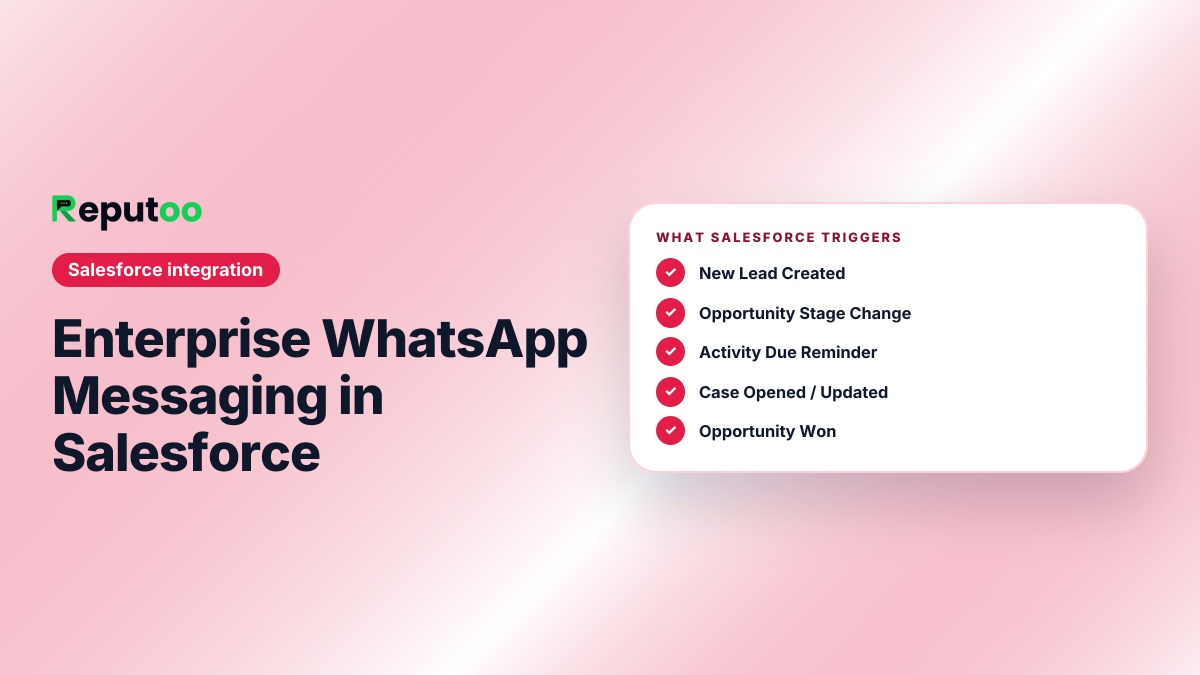
New Lead Created
New Salesforce Lead created → immediate WhatsApp outreach from the assigned rep within minutes, not hours.
Opportunity Stage Change
Opportunity moves to "Proposal" or "Negotiation" → WhatsApp message to the contact with relevant collateral.
Activity Due Reminder
Salesforce Activity due for a contact → automatic WhatsApp reminder to the rep and optional message to the contact.
Case Opened / Updated
Support case opened or updated → WhatsApp notification to the customer with case reference and next steps.
Opportunity Won
Opportunity "Closed Won" → WhatsApp onboarding welcome sent to the primary contact automatically.
Contract Renewal Alert
90/60/30 days before contract end → WhatsApp renewal reminders to the account contact.
Platform Features
More than just order notifications
Activity Logging
Every WhatsApp message (sent and received) is logged as an Activity on the Salesforce Lead, Contact, or Account record.
Bi-Directional Sync
Phone numbers and contact updates sync between Salesforce and Reputoo in real time — always in sync, no duplicates.
Process Builder / Flow Trigger
Trigger Reputoo WhatsApp messages from Salesforce Process Builder or Flow via HTTP callout. No code required for admins.
Enterprise Security
All data flows use TLS 1.3 encryption. Reputoo meets enterprise security requirements for Salesforce integration.
Rep Assignment
WhatsApp conversations are automatically routed to the Salesforce record owner for handling in Reputoo's shared inbox.
Mobile for Reps
Sales reps can send WhatsApp messages and see conversation history on Reputoo mobile — linked to their Salesforce pipeline.
How to Connect
Connect in under 5 minutes
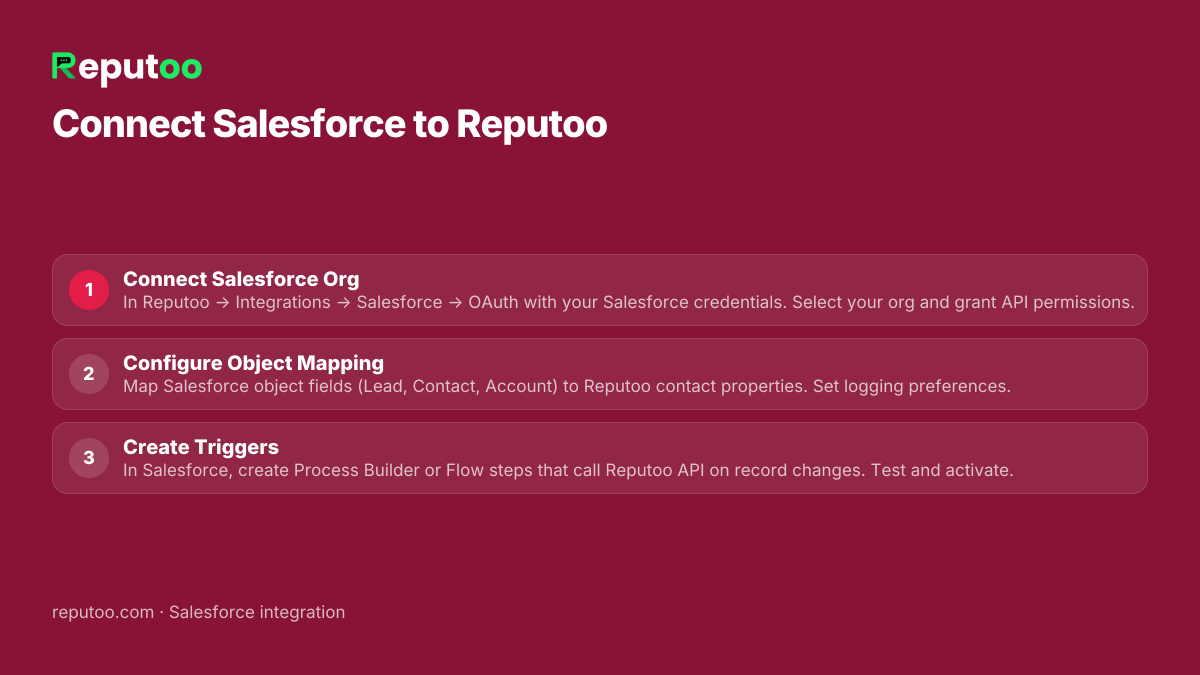
Connect Salesforce Org
In Reputoo → Integrations → Salesforce → OAuth with your Salesforce credentials. Select your org and grant API permissions.
Configure Object Mapping
Map Salesforce object fields (Lead, Contact, Account) to Reputoo contact properties. Set logging preferences.
Create Triggers
In Salesforce, create Process Builder or Flow steps that call Reputoo API on record changes. Test and activate.
Frequently Asked Questions
Which Salesforce editions does Reputoo support?
Reputoo integrates with Salesforce Professional, Enterprise, Unlimited, and Developer editions — any edition that includes API access. Salesforce Essentials does not include API access and is not supported for full integration.
How are WhatsApp conversations logged in Salesforce?
Reputoo uses the Salesforce REST API to create Task or Event records linked to the Contact or Lead. Message content, direction (inbound/outbound), timestamp, and status (sent, read, replied) are all logged. Your team sees the full WhatsApp history inside Salesforce.
Can Salesforce Flows trigger WhatsApp messages?
Yes. Use Salesforce Flow's "HTTP Action" (or an Apex callout for more control) to call Reputoo's Send Message API endpoint. Map Salesforce merge fields to Reputoo message variables. This allows fully declarative WhatsApp automation from Salesforce without custom code.
Does the integration support multiple Salesforce orgs?
Currently one Salesforce org per Reputoo account. Multi-org support (for enterprises with separate production and sandbox orgs) is on the roadmap. Contact our enterprise team for current workarounds.
Is Reputoo GDPR / PDPA compliant for Salesforce data?
Yes. Reputoo processes data per your WhatsApp Business API agreement with Meta and complies with GDPR, India DPDP Act, and major regional data protection frameworks. No Salesforce data is stored in Reputoo beyond the contact phone number and name needed for messaging.
How long does the Salesforce integration take to set up?
Initial OAuth connection and field mapping takes under 30 minutes. Building Process Builder or Flow triggers depends on your automation complexity. Most customers are fully live within 1 business day.
Other Integrations
Connect Salesforce to WhatsApp today
Official WhatsApp Business API · Cancel anytime · No hidden costs
Connect Salesforce