
Facebook Leads, WhatsApp Conversations
Connect Reputoo to your Facebook Page to capture leads from Facebook Lead Ads, respond to Messenger messages, and automatically move Facebook leads to WhatsApp for follow-up.
<30s
Lead Response Time
10x
Higher Conversion
High
WhatsApp Open Rate
Auto
Lead Capture
Illustrative outcomes based on common industry scenarios — not measured Reputoo customer results.
Automated Triggers
What gets automated
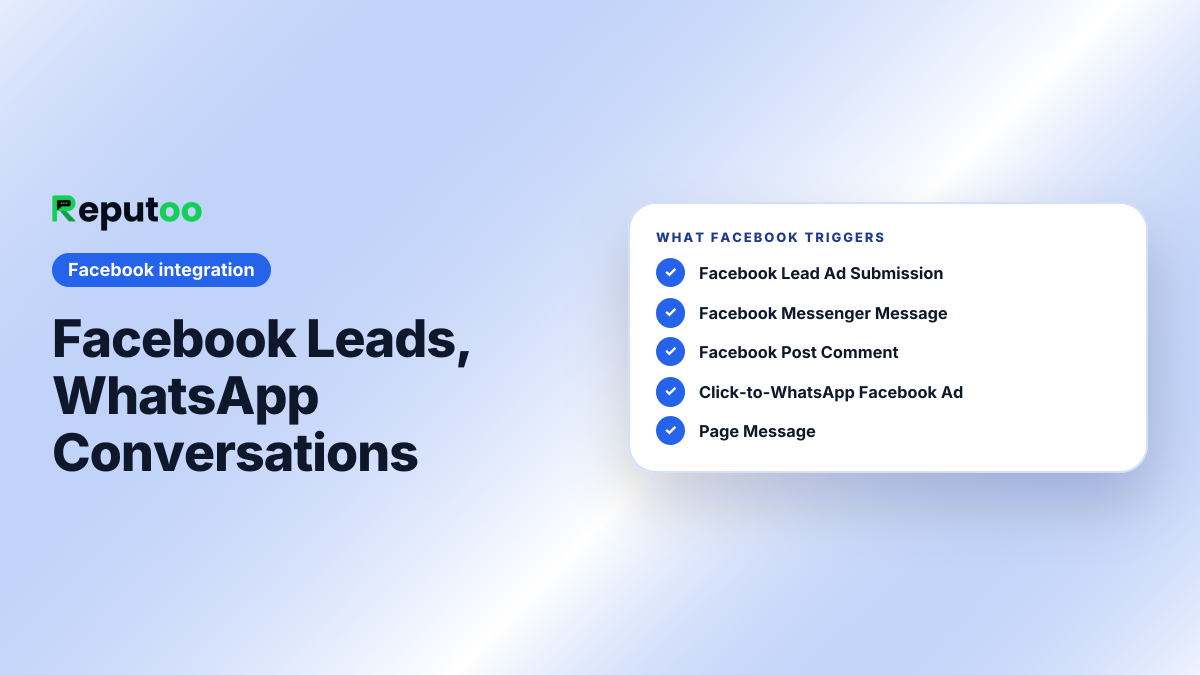
Facebook Lead Ad Submission
New Facebook Lead Ad submission → instant WhatsApp message to the lead within 30 seconds of form fill.
Facebook Messenger Message
New message in your Facebook Page Messenger → appears in Reputoo inbox alongside WhatsApp conversations.
Facebook Post Comment
Someone comments on your Facebook post → auto-reply and option to move conversation to WhatsApp.
Click-to-WhatsApp Facebook Ad
Facebook ad with WhatsApp CTA → lead goes directly to Reputoo, auto-reply triggers immediately.
Page Message
New Facebook Page message → routed into the Reputoo inbox alongside WhatsApp, with the same AI agent replying.
Page Event RSVP
Someone RSVPs to your Facebook Event → WhatsApp confirmation and event reminder sequence starts.
Platform Features
More than just order notifications
Instant Lead Response
Facebook Lead Ads connect to Reputoo via Meta API. The moment a lead submits, Reputoo sends a WhatsApp message — before your competition even sees the notification.
Unified Inbox
Facebook Messenger and WhatsApp conversations in one Reputoo inbox. No tab-switching, no missed messages.
CRM-Ready Lead Data
Facebook Lead Ad form data (name, phone, email, custom questions) is captured in Reputoo as a contact and can be synced to your CRM.
Retargeting Audience Sync
Sync Reputoo WhatsApp contacts as a Facebook Custom Audience for retargeting ads. Target your WhatsApp list on Facebook and Instagram.
AI Messenger Replies
Reputoo AI auto-responds to common Facebook Messenger questions about pricing, availability, and hours — 24/7.
Messenger in the Same Inbox
Facebook Messenger conversations land in the Reputoo inbox next to WhatsApp, worked by the same team and the same AI agent.
How to Connect
Connect in under 5 minutes
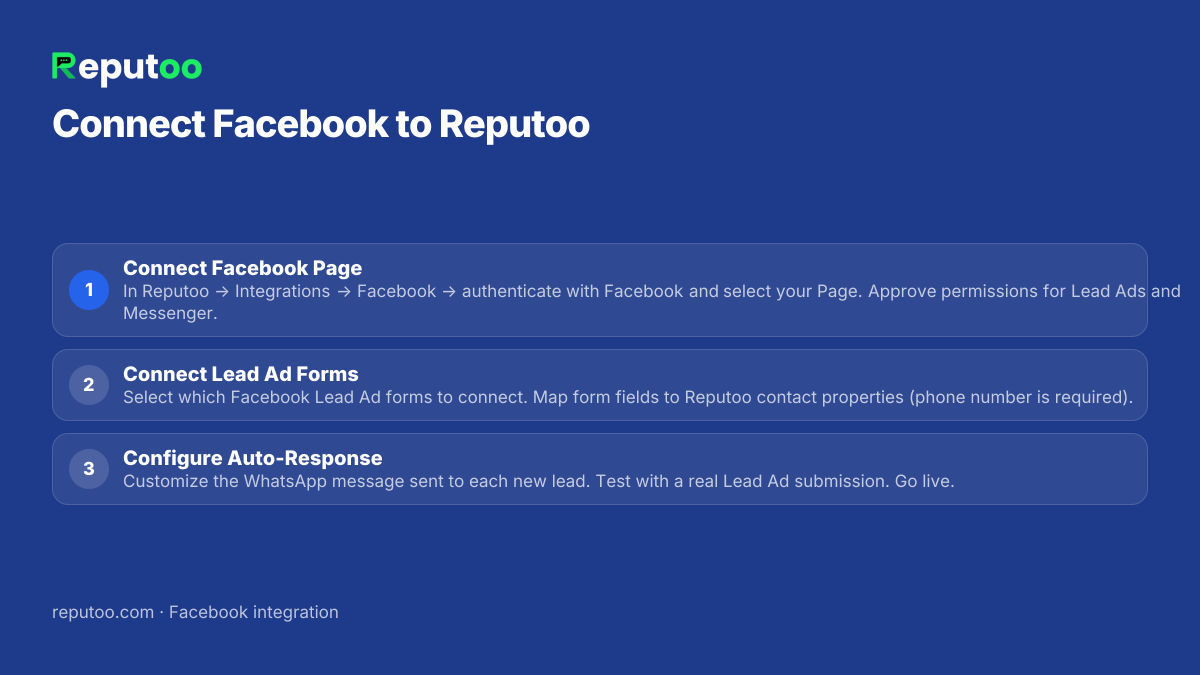
Connect Facebook Page
In Reputoo → Integrations → Facebook → authenticate with Facebook and select your Page. Approve permissions for Lead Ads and Messenger.
Connect Lead Ad Forms
Select which Facebook Lead Ad forms to connect. Map form fields to Reputoo contact properties (phone number is required).
Configure Auto-Response
Customize the WhatsApp message sent to each new lead. Test with a real Lead Ad submission. Go live.
Frequently Asked Questions
How fast does Reputoo respond to Facebook leads via WhatsApp?
Within 30 seconds in most cases. When a Facebook Lead Ad form is submitted, Meta fires a real-time webhook to Reputoo. Reputoo immediately sends the WhatsApp message. Speed is critical — leads contacted within 5 minutes are far more likely to be reached than those contacted after 30 minutes.
Does Reputoo work with Facebook Lead Ads directly?
Yes. Connect your Facebook Page to Reputoo via the Meta Business API. In Reputoo → Integrations → Facebook, authenticate, select your Page, and connect your Lead Ad forms. Real-time lead webhooks are configured automatically.
Can I manage Facebook Messenger in Reputoo?
Yes. Reputoo's unified inbox shows Facebook Messenger conversations alongside WhatsApp. Assign to team members, add tags, and send templates or AI-generated replies. All from one interface.
Does Reputoo support Click-to-WhatsApp Facebook ads?
Yes. When you create a Facebook ad with "Send WhatsApp Message" CTA pointing to your Reputoo-connected WhatsApp number, leads are captured in Reputoo automatically. Their first message triggers your configured auto-reply and creates a Reputoo contact.
Can I sync my Reputoo WhatsApp contacts to Facebook for retargeting ads?
Yes. Export your Reputoo contact list as CSV (phone numbers) and upload to Facebook Ads Manager as a Custom Audience. Facebook matches phone numbers to Facebook accounts for retargeting. This creates a powerful loop: WhatsApp contacts → Facebook retargeting ads → more WhatsApp conversations.
Other Integrations
Connect Facebook to WhatsApp today
Official WhatsApp Business API · Cancel anytime · No hidden costs
Connect Facebook