
WhatsApp Patient Communication: How Healthcare Providers Can Improve Updates, Follow-Ups, and Care Coordination
Learn how WhatsApp patient communication helps healthcare providers send updates, follow up with patients, and improve the overall care experience.
Riya
Reputoo
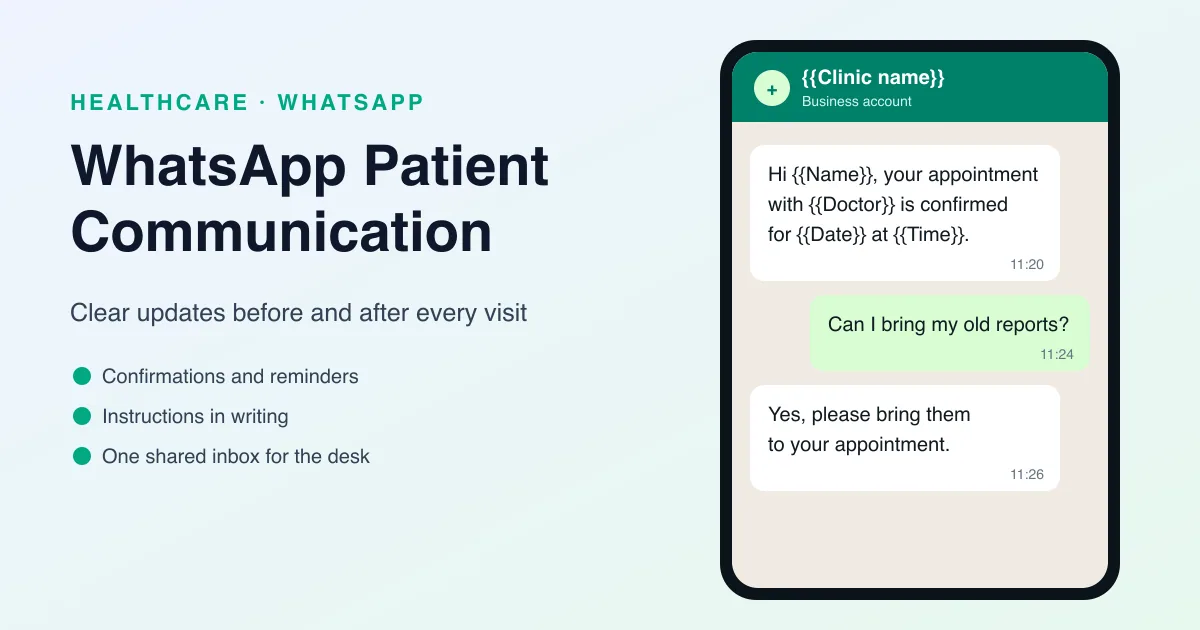
Clear communication is one of the most important parts of healthcare. Patients need reminders, updates, instructions, and follow-up messages before and after appointments. If communication is slow or confusing, it can affect attendance, satisfaction, and even outcomes. That is why WhatsApp patient communication has become so useful for healthcare providers.
WhatsApp gives clinics, hospitals, dental practices, and other healthcare businesses a direct way to stay in touch with patients. Because patients already use the app regularly, it creates a fast and familiar communication channel that is easier to manage than phone calls alone.
Used well, WhatsApp can improve scheduling, reduce confusion, and help patients feel more informed throughout their care journey.
What Is WhatsApp Patient Communication?
WhatsApp patient communication is the use of WhatsApp to send updates, reminders, instructions, and support messages to patients. It can be automated or manual, depending on the provider’s workflow.
Healthcare teams can use it for:
- Appointment reminders
- Booking confirmations
- Pre-visit instructions
- Post-visit follow-ups
- Care coordination messages
- Rescheduling support
- Patient support and updates
The goal is to keep communication clear, timely, and easy for patients to understand.
Why Patient Communication Matters
In healthcare, patients often need more than one message to stay informed. They may need to know when their appointment is scheduled, what to bring, what happens next, and how to follow instructions after the visit.
Strong communication helps because it:
- Reduces confusion
- Improves attendance
- Supports better follow-through
- Builds patient trust
- Saves staff time
When patients feel informed, they are more likely to show up, follow instructions, and stay engaged in their care.
Why WhatsApp Is Useful for Patient Communication
WhatsApp is effective because it is fast, familiar, and easy to use.
Here’s why healthcare providers often choose it:
- Patients already check it frequently
- Messages are usually seen quickly
- Communication feels more personal
- Patients can reply easily
- It works well for both updates and follow-ups
Unlike phone calls, WhatsApp lets patients read the message at a convenient time and respond when needed.
Best Use Cases for WhatsApp Patient Communication
WhatsApp can support many parts of the care journey.
1. Appointment confirmation
Confirm bookings immediately after scheduling.
2. Appointment reminders
Help patients remember when and where to come.
3. Pre-visit instructions
Send helpful information such as preparation steps or documents to bring.
4. Post-visit follow-ups
Check in with patients after treatment or consultation.
5. Care coordination
Share next steps, referral details, or return visit information.
6. Rescheduling support
Make it easy for patients to communicate changes.
These messages help create a smoother patient experience from start to finish.
Benefits of WhatsApp Patient Communication
There are several benefits to using WhatsApp in healthcare communication.
Faster communication
Patients receive key information quickly.
Better engagement
People are more likely to see and respond to WhatsApp messages.
Fewer missed details
Important instructions are easier to understand and remember.
Less manual work
Automation can reduce repetitive communication tasks.
Better patient experience
Patients feel supported and informed.
What Good Patient Communication Looks Like
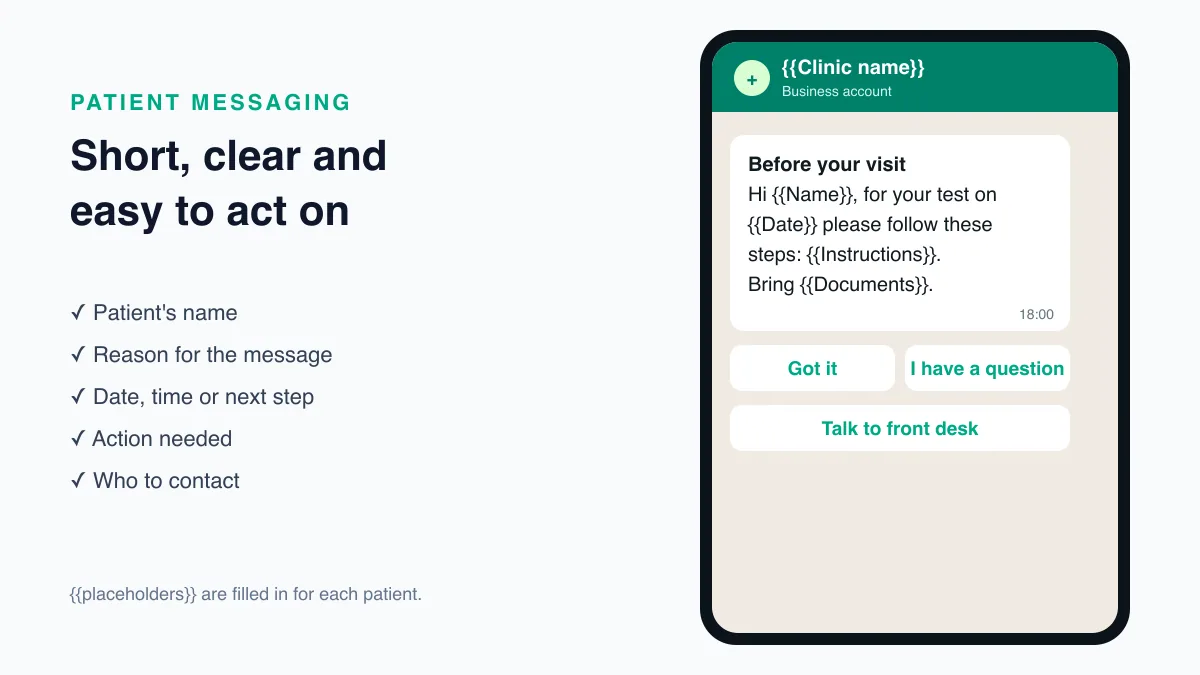
A strong message should be short, clear, and respectful.
It should include:
- The patient’s name
- The reason for the message
- The date, time, or next step
- Any action needed
- Contact information if needed
Healthcare communication should feel helpful, not overwhelming.
Why Reputoo Helps with Patient Communication
Reputoo helps healthcare providers organize and automate WhatsApp communication so teams can stay consistent without adding more manual work.
With Reputoo, you can:
- Send patient reminders and updates
- Automate follow-up messaging
- Keep communication consistent
- Improve response times
- Manage messaging more efficiently
That makes it easier to maintain a better patient experience across the entire journey.
Best Practices for WhatsApp Patient Communication
If you want to use WhatsApp effectively, follow these best practices:
Be clear and concise
Patients should understand the message quickly.
Keep the tone professional
Healthcare communication should always feel respectful.
Use automation for repetitive tasks
Reminders and confirmations are ideal for automation.
Make replies easy
Patients should know how to respond if they have questions or need help.
Protect privacy
Only send appropriate and necessary information.
Common Mistakes to Avoid
WhatsApp can help a lot, but poor communication can create problems.
Avoid these mistakes:
- Sending vague messages
- Being too casual
- Making messages too long
- Over-messaging patients
- Failing to respond when patients reply
The goal is to make communication simple and reliable.
Mapping Messages to the Patient Journey
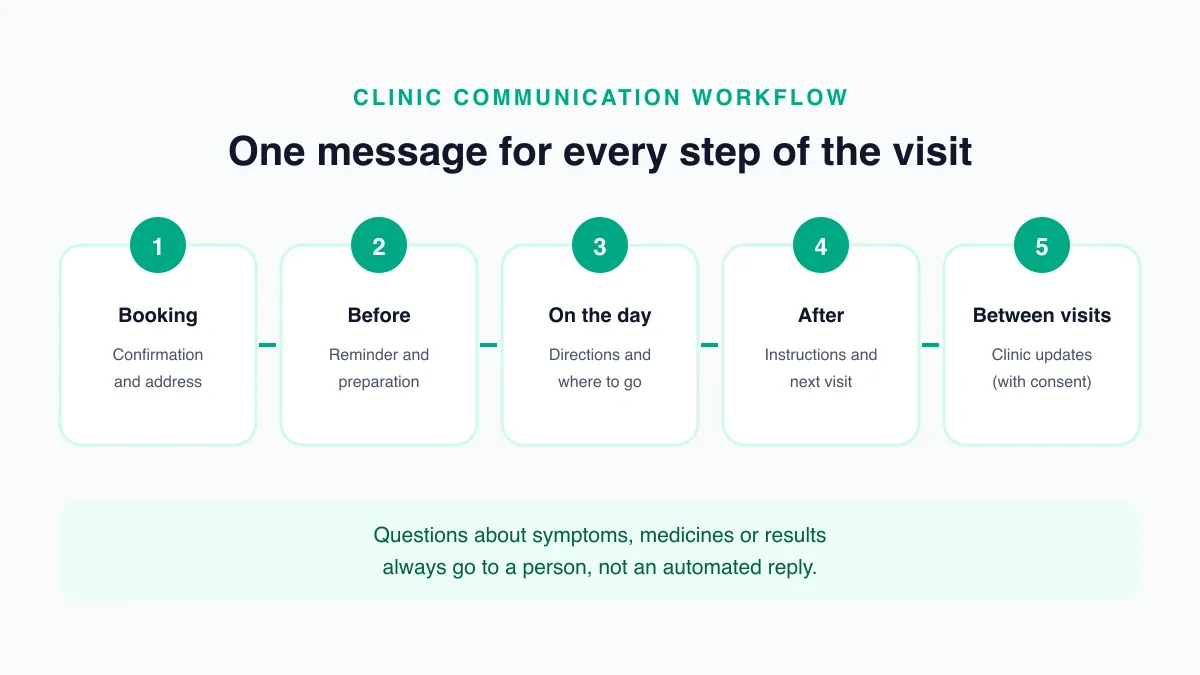
Before you automate anything, list every message a patient receives from your practice today, by phone, SMS, paper, or in person. Most practices find the same handful of moments:
- Booking: confirmation, address, and what to bring.
- Before the visit: a reminder and any preparation, such as fasting or documents.
- On the day: directions, parking, or which floor and counter to go to.
- After the visit: instructions, the next appointment, and where to get reports.
- Between visits: clinic updates such as holiday hours or a new department.
For each moment, decide who sends it, whether it can be automated, and what the patient can do in reply. Booking confirmations and reminders are easy to automate. Questions about symptoms, medicines, or results should always reach a person. Our guide to WhatsApp appointment reminders covers the reminder part of this map in detail.
One Number, One Shared Inbox
Patient messages work best when they arrive in one place that the whole front desk can see. If each receptionist answers from a personal phone, replies get lost when someone is on leave, and there is no record of what the practice told the patient.
A shared inbox on the WhatsApp Business Platform lets several staff members answer from the clinic's single number. Useful habits:
- Assign each chat to one person, so two people do not answer the same patient differently.
- Use labels such as "reschedule", "reports", or "billing" so chats can be picked up by the right person.
- Set an out-of-hours reply that tells patients when the desk opens and what to do if they need urgent help.
- Write saved replies for common questions such as timings, address, and documents, and keep them up to date.
WhatsApp's Business Messaging Policy asks businesses that automate replies to offer a clear way to reach a human (https://business.whatsapp.com/policy). A shared inbox is how that human answers. You can see how this works in Reputoo's WhatsApp team inbox.
What WhatsApp Is For, and What It Is Not
WhatsApp suits information that is useful to receive in writing: times, addresses, preparation steps, and next appointments. Some conversations belong elsewhere.
- Emergencies: WhatsApp is not monitored like an emergency line. Say so in your out-of-hours reply and in your WhatsApp profile, and point patients to 112, India's emergency number.
- Clinical questions: a receptionist should not answer questions about symptoms or medicines. Route them to a clinician or ask the patient to call or visit.
- Sensitive results: tell patients that a report is ready and how to collect it, rather than sending the result itself in a reminder.
If a doctor does consult over WhatsApp, India's Telemedicine Practice Guidelines (25 March 2020) apply. They list chat platforms such as WhatsApp among the tools a registered medical practitioner may use, and they require the doctor and patient to know each other's identity and the doctor to keep a record of the interaction (https://esanjeevani.mohfw.gov.in/assets/guidelines/Telemedicine_Practice_Guidelines.pdf).
Consent, Privacy, and Records
Patients should agree to hear from you on WhatsApp before you message them. WhatsApp's policy requires opt-in, and the easiest moment to ask is at booking or registration. Record when and how each patient opted in.
In India, a patient's number, appointment, and visit details are personal data under the Digital Personal Data Protection Act, 2023 (https://www.meity.gov.in/data-protection-framework). Collect only what your messages need, explain why you collect it, and stop messaging any patient who asks you to.
Keep message content modest. A notification can appear on a lock screen, so leave diagnoses and test names out of automated messages and share details in a private conversation instead.
Speak Your Patients' Language
Patients understand instructions best in the language they use at home. Message templates on the WhatsApp Business Platform can be created in more than one language, so the same reminder can go out in English, Hindi, or a regional language depending on the patient's preference. Ask for the preferred language at registration and store it with the patient's record, then choose the template that matches.
Keep translations simple and have someone who speaks the language check them before you submit the template for approval.
How to Know It Is Working
Pick a few measures you can track from the start:
- How quickly the front desk replies to patient messages during working hours
- How many patients confirm or reschedule after a reminder
- How many phone calls the desk receives about timings, directions, and documents
- Repeated questions that suggest a message needs clearer wording
Review them monthly. If the same question keeps arriving, add the answer to the message that comes before it. For a wider view of the tools involved, read our guide to WhatsApp marketing software for healthcare.
Saved Replies for the Questions Patients Ask Most
Most messages to a clinic are the same few questions. Write a clear answer to each once, check it with the doctors, and save it so every staff member sends the same accurate reply. Useful ones to start with:
- Timings: "Our OPD is open {{days}} from {{hours}}. Dr {{name}} sees patients on {{days}}. Reply BOOK to choose a time."
- Location: the address, a map link, the nearest landmark, and where to park.
- Documents: what to bring for a first visit, such as an ID, previous prescriptions, and recent reports.
- Reports: when reports are usually ready and how to collect them.
- Payments: which payment methods the front desk accepts and whether insurance or cashless treatment is available.
- Rescheduling: how to move an appointment and how much notice the clinic needs.
Review saved replies whenever something changes, such as new timings, a doctor joining or leaving, or a new department. An out-of-date saved reply sends the wrong information to every patient who asks. More examples are in our WhatsApp auto-reply message templates.
Training the Front Desk
Patient messaging works when everyone handles it the same way. Before you launch, walk the team through a short checklist:
- Who watches the inbox at each time of day, and who covers breaks and leave
- Which questions the desk answers and which go to a nurse or doctor
- How to note a reschedule or cancellation in the appointment system
- How to reply politely when a patient sends a message the clinic cannot act on
- What never goes in a message, such as another patient's details or a diagnosis
Run a practice morning where staff answer test messages from colleagues playing patients. It shows gaps in the saved replies and gives the team confidence before real patients write in.
Messages for Family Members and Caregivers
Many patients do not manage their own appointments. Children, older parents, and patients recovering from surgery often rely on a family member who books visits and reads messages for them. Plan for this rather than working around it:
- Ask at registration which number should receive appointment messages, and record whose number it is.
- Address messages to the right person, for example "Hello {{caregiver}}, this is a reminder of {{patient}}'s appointment."
- Confirm that the patient has agreed to share appointment details with that person, especially for adult patients.
- Update the number when the patient asks. Family arrangements change, and an old number means messages reach the wrong person.
Getting this right makes messages more useful for the families who coordinate care, and keeps details away from people the patient did not choose.
Final Thoughts
WhatsApp patient communication helps healthcare providers stay connected with patients in a faster, clearer, and more convenient way. It can improve scheduling, reduce confusion, and make the overall care experience better.
If your goal is to keep patients informed without adding more manual work, WhatsApp is a smart communication channel to build into your workflow.
Improve Patient Communication with Reputoo
Frequently Asked Questions
What is WhatsApp patient communication?
It is the use of WhatsApp to send reminders, updates, and follow-up messages to patients.
Is WhatsApp good for healthcare communication?
Yes. It is fast, familiar, and easy for patients to use.
Can WhatsApp patient communication be automated?
Yes. Platforms like Reputoo can help automate many common messages.
What kinds of messages can I send to patients?
You can send confirmations, reminders, instructions, follow-ups, and support messages.
Is WhatsApp useful for clinics and hospitals?
Yes. It works well for both small clinics and larger healthcare providers.
Ready to implement this for your business?
Get started with Reputoo — Official WhatsApp Business API, cancel anytime.
Get StartedRelated Articles
WhatsApp Marketing
WhatsApp Customer Support for Healthcare: How to Improve Response Time and Patient Experience
9 min
WhatsApp Marketing
WhatsApp Medical Appointment Automation: How to Save Time and Improve Patient Scheduling
9 min
WhatsApp Marketing
WhatsApp Follow-up Messages for Patients: How to Improve Care, Communication, and Patient Engagement
9 min