
WhatsApp Customer Support for Healthcare: How to Improve Response Time and Patient Experience
Learn how WhatsApp customer support for healthcare helps clinics and providers answer patient questions faster and improve support quality.
Riya
Reputoo
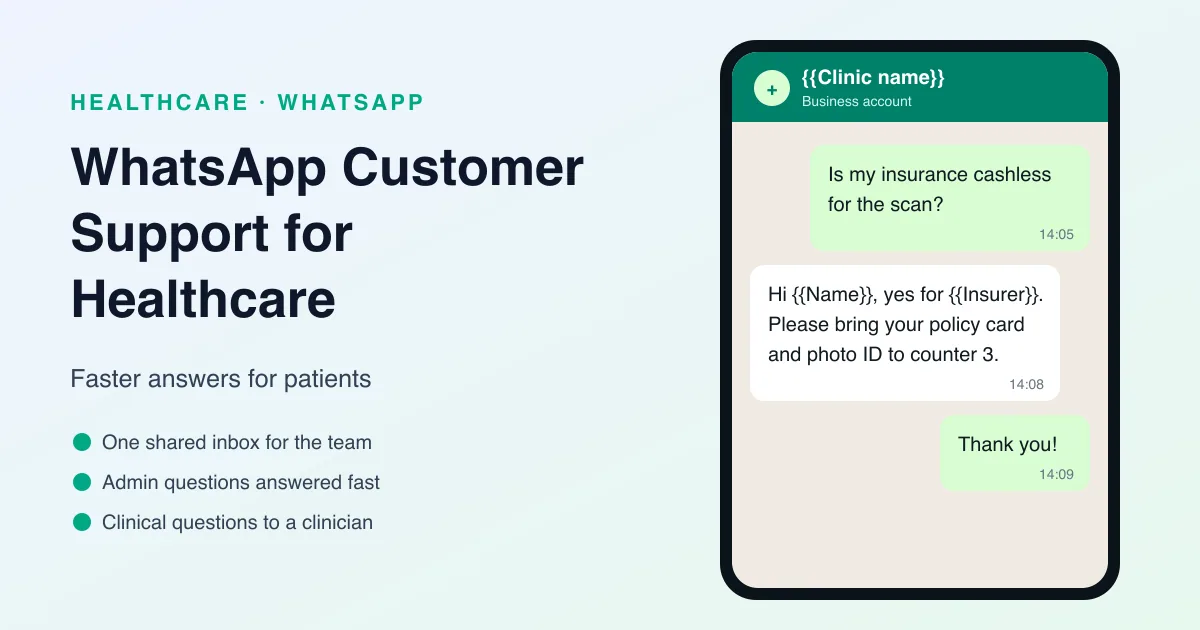
Patients often need help before, during, and after care. They may have questions about appointments, instructions, billing, or next steps. If they cannot get answers quickly, it can create frustration and reduce trust. That is why WhatsApp customer support for healthcare is so useful.
WhatsApp gives clinics, hospitals, and other healthcare providers a direct and familiar channel for answering patient questions. Instead of making patients wait on hold or search through email, support teams can respond in a fast, organized way through WhatsApp.
For healthcare businesses, better support communication can improve satisfaction, reduce confusion, and help patients feel more cared for.
What Is WhatsApp Customer Support for Healthcare?
WhatsApp customer support for healthcare is the use of WhatsApp to handle patient questions, service requests, and support communication.
It can be used for:
- Appointment questions
- Booking support
- Rescheduling requests
- Billing or service inquiries
- Post-visit questions
- General clinic support
The goal is to make it easier for patients to get help when they need it.
Why WhatsApp Is Useful for Healthcare Support
Support communication in healthcare needs to be fast, clear, and reliable. WhatsApp is a good fit because it is direct and easy to use.
Here’s why it works:
- Patients already use it regularly
- Messages are usually seen quickly
- It feels more personal than email
- Patients can reply easily
- Staff can handle communication in one place
That makes WhatsApp a strong support channel for busy healthcare teams.
Best Use Cases for WhatsApp Support
Healthcare providers can use WhatsApp support in several ways.
1. Appointment questions
Patients can ask about timings, locations, or booking details.
2. Rescheduling support
Patients can request a new time without calling.
3. Billing support
Teams can answer questions about payment or invoices.
4. Visit instructions
Patients can get help understanding what to do before or after a visit.
5. General support
Patients can ask basic questions about services or clinic processes.
6. Post-visit support
Patients can follow up with concerns after their appointment.
These use cases make support faster and more accessible.
Benefits of WhatsApp Customer Support
Using WhatsApp for support offers several benefits.
Faster response times
Patients get answers more quickly.
Better patient satisfaction
Support feels easier and more convenient.
Less call volume
Some questions can be handled through messaging instead of phone calls.
More organized communication
Teams can track and respond more efficiently.
Better service experience
Patients feel supported throughout the care journey.
What Good Support Messaging Looks Like
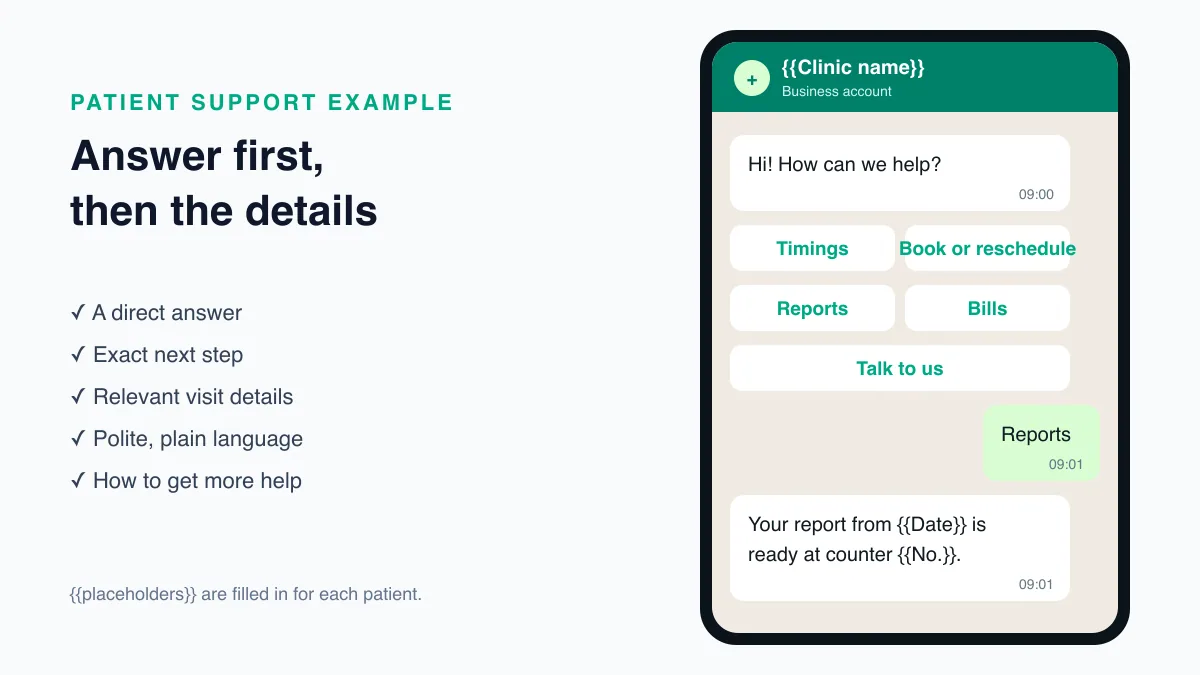
A good support message should be short, clear, and helpful.
It should include:
- A direct answer or next step
- Any relevant appointment or service detail
- A polite tone
- A contact path if more help is needed
The goal is to solve the issue quickly and professionally.
Why Reputoo Helps with Healthcare Support
Reputoo helps healthcare teams manage WhatsApp support conversations in a more organized way.
With Reputoo, you can:
- Handle patient questions in one inbox
- Improve response speed
- Organize support communication
- Reduce manual message handling
- Keep support and appointment workflows connected
That makes it easier to provide better service without adding more complexity.
Best Practices for WhatsApp Support
If you want to use WhatsApp for healthcare support effectively, follow these best practices:
Respond quickly
Patients expect fast help.
Keep the tone professional
Support should feel respectful and trustworthy.
Use clear language
Patients should understand the answer immediately.
Organize conversations
Tag or assign messages so nothing is missed.
Make escalation easy
If a question needs more help, the patient should know what to do next.
Common Mistakes to Avoid
Support messaging can go wrong if the workflow is unclear.
Avoid these mistakes:
- Delayed responses
- Vague answers
- Overly casual tone
- Forgetting to assign conversations
- Not following up when needed
The support experience should feel simple and reliable.
Sort Every Message Into Admin or Clinical
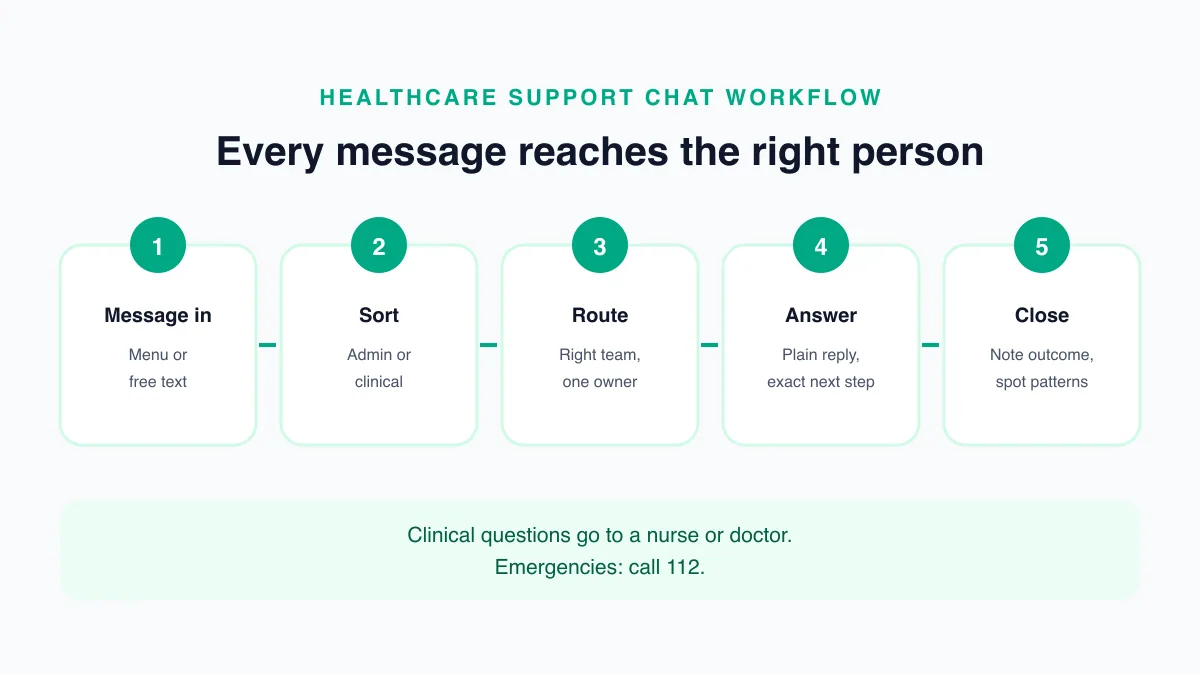
The single most important rule for healthcare support on WhatsApp is to separate administrative questions from clinical ones. Front-desk staff can answer the first kind. The second kind must reach a nurse or doctor.
Administrative: timings, directions, booking and rescheduling, documents to bring, bills and receipts, insurance and cashless paperwork, report collection.
Clinical: symptoms, side effects, whether to take or stop a medicine, what a result means, whether a problem is urgent.
Write this split down, train the team on it, and give staff a standard reply for clinical questions, for example: "Thank you for telling us. I am passing this to the nurse on duty, who will reply by {{time}}. If this is an emergency, please call 112 now." India's single emergency number, 112, should also appear in your out-of-hours message and WhatsApp business profile.
Set Office Hours and Response Targets
Patients accept waiting when they know how long the wait will be. Decide, and publish, when the support inbox is watched and how quickly the team aims to reply during those hours.
- Business profile: add your support hours to the WhatsApp business profile so patients see them before they write.
- Away message: outside hours, reply automatically with the time the desk opens, how to book online, and the emergency number.
- Internal target: agree a first-reply time for working hours that your team can actually meet, and review it monthly.
A short, honest away message is better than a fast automated reply that does not help.
Use a Chatbot for the Repetitive Questions
Many support messages are the same few questions: timings, address, documents, report collection. A WhatsApp chatbot can answer these instantly at any hour, with a menu such as "1. Timings 2. Book or reschedule 3. Reports 4. Bills 5. Talk to us".
Keep the bot narrow. It should answer fixed facts and hand everything else to a person. WhatsApp's Business Messaging Policy asks businesses that automate to provide a clear path to a human (https://business.whatsapp.com/policy), so "Talk to us" should always be one tap away. Reputoo's chatbot is built on that pattern, with conversations passed to the WhatsApp team inbox when a person is needed.
Check Who You Are Talking To
Before discussing an appointment, a bill, or a report, make sure the person writing is the patient or someone the patient has authorised. Phones are shared and numbers change hands. A simple check, such as the patient's registration number or date of birth, protects both the patient and the clinic.
In India, appointment, billing, and health details are personal data under the Digital Personal Data Protection Act, 2023 (https://www.meity.gov.in/data-protection-framework). Share only what the question needs, never ask patients to send card numbers or passwords in chat, and send payments through a secure payment link rather than asking for details.
Handle Billing Questions Clearly
Billing questions are among the most common support requests, and among the most sensitive. A few habits help:
- Send itemised receipts on request, from the clinic's number, to the verified patient
- Explain insurance and cashless paperwork in plain language, with a list of documents
- Use payment links for balances, and confirm on WhatsApp once a payment is received
- Pass disputes to the person who can resolve them, and tell the patient who that is and when to expect an answer
Treat Complaints as a Priority
A patient who complains on WhatsApp is giving the clinic a chance to fix the problem privately. Acknowledge the message quickly, apologise for the experience without arguing the details in chat, and move it to the manager responsible. Tell the patient who will contact them and when.
Once the issue is resolved, close the loop on WhatsApp with a short message telling the patient what was done, so they know they were heard and the conversation does not simply stop. Record each complaint and how it was resolved. Patterns, such as long waits on particular days or confusion about one kind of bill, show where the clinic's processes need to change.
Measure Support Quality
Track a few numbers from the start:
- First-reply time during working hours
- How many conversations are resolved without a phone call
- How many clinical questions reached a clinician, and how quickly
- The questions asked most often, which show where a message, a sign, or a web page needs to be clearer
Review them each month with the front-desk team. For the rest of the patient journey, see our guides to WhatsApp patient communication and WhatsApp follow-up messages for patients.
Departments and Handovers in Larger Practices
Hospitals and multi-specialty clinics receive questions for many teams: OPD, billing, insurance, laboratory, pharmacy, and individual departments. A single shared WhatsApp number can still work, as long as each message reaches the right team.
- Start with a menu: ask the patient to choose a topic with one tap, so the conversation is routed before anyone reads it.
- Assign an owner: each conversation should have one person responsible until it is closed.
- Use tags: labels such as "insurance", "lab", or "complaint" make it easy to find open conversations by type.
- Leave handover notes: when a chat moves between teams or shifts, a short internal note saves the patient from repeating their story.
The patient sees one clinic number and one continuous conversation, while the work behind it is shared across the teams that can actually help.
Write Replies Patients Can Act On
Good support replies are short, plain, and specific. A few rules make a large difference:
- Answer first: put the answer in the first line, then the details.
- Use plain words: "blood test report" rather than internal codes, and no medical abbreviations.
- One request per message: if you need two things from the patient, ask for them in a numbered list.
- Give exact next steps: a time, a counter number, a document name, rather than "please visit the desk".
- Match the patient's language: reply in the language the patient wrote in whenever your team can.
Read your saved replies aloud before using them. If a sentence sounds like a form, rewrite it the way a helpful receptionist would say it.
Know When to Move to a Phone Call
WhatsApp is not the right place for every conversation. Offer to call when:
- The patient seems confused after two or three messages
- The question involves several people, such as a family arranging care for a parent
- The patient is upset or making a complaint
- A clinician needs to ask follow-up questions before giving advice
Ask before calling, for example "Would it help if our team called you in the next 15 minutes?", and note the outcome of the call in the WhatsApp conversation so the record stays complete.
Prepare for Busy Days
Support volume is rarely even. Mornings after a public holiday, the days after a clinic changes its timings, a health camp, or a new doctor joining all bring a rush of questions. Plan for them:
- Announce changes in advance: a message to opted-in patients about new timings or a holiday closure answers the question before hundreds of people ask it.
- Update the away message and chatbot menu on the same day the change happens, so automated answers are never out of date.
- Add staff to the inbox on days you expect a rush, and agree who covers which topics.
- Pin the facts: keep the current timings, doctors on leave, and any temporary changes in one place the whole team can see while replying.
After each busy period, look at the questions that arrived most often. Each one is a sign of something the clinic could have said earlier or more clearly.
Final Thoughts
WhatsApp customer support for healthcare is a practical way to improve patient service and response time. It helps patients get answers faster and makes it easier for healthcare teams to stay organized.
If your clinic or healthcare provider wants better support communication, WhatsApp is a smart channel to add.
Improve Healthcare Support with Reputoo
Frequently Asked Questions
What is WhatsApp customer support for healthcare?
It is the use of WhatsApp to answer patient questions and handle support requests.
Is WhatsApp good for healthcare support?
Yes. It is fast, easy to use, and familiar to patients.
Can support communication be managed in one inbox?
Yes. Tools like Reputoo can help organize support chats.
What questions can patients ask on WhatsApp?
They can ask about appointments, billing, instructions, rescheduling, and general service help.
Is WhatsApp support useful for clinics and hospitals?
Yes. It works well for many types of healthcare providers.
Ready to implement this for your business?
Get started with Reputoo — Official WhatsApp Business API, cancel anytime.
Get StartedRelated Articles
WhatsApp Marketing
WhatsApp Medical Appointment Automation: How to Save Time and Improve Patient Scheduling
9 min
WhatsApp Marketing
WhatsApp Follow-up Messages for Patients: How to Improve Care, Communication, and Patient Engagement
9 min
WhatsApp Marketing
WhatsApp Telehealth Messaging: How to Improve Virtual Care Communication and Patient Follow-Up
9 min