Payments

Razorpay Payment Link on WhatsApp: How to Create, Send and Track Payments in Chat

Riya · ReputooUpdated 25 October 202610 min read
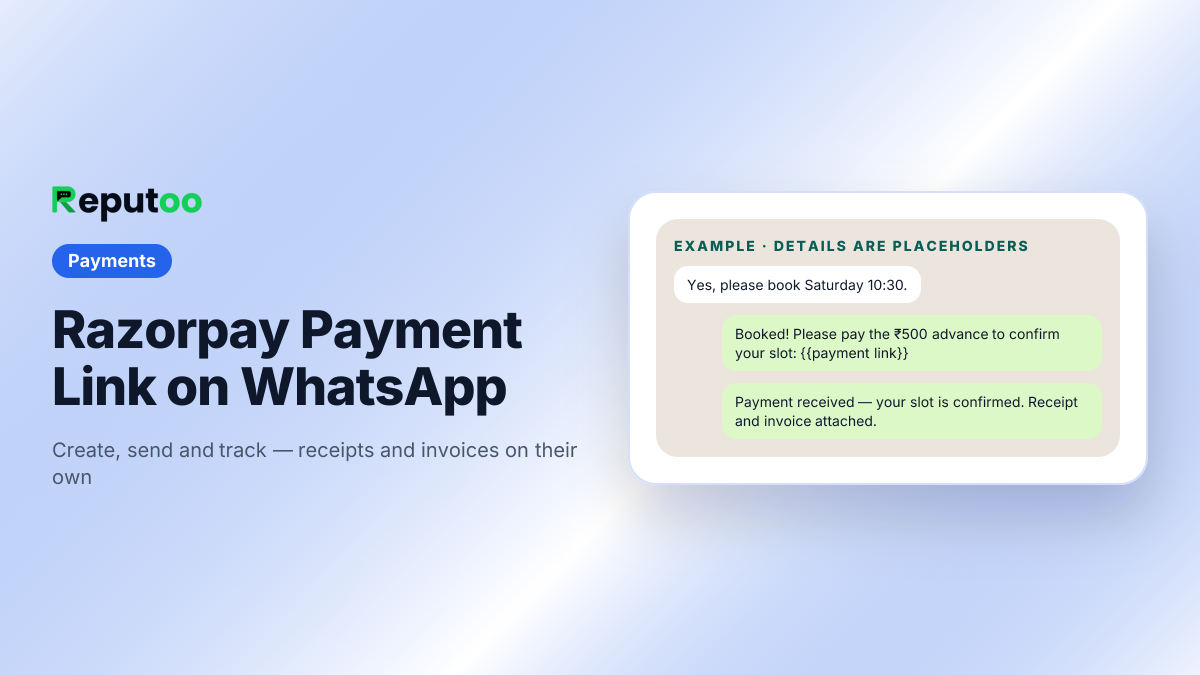
Razorpay payment link sent on WhatsApp
From yes to paid in one chat. Details are placeholders.
On this page · 14 chapters
  1. 01 · What a Payment Link Is
  2. 02 · How to Create a Razorpay Payment Link
  3. 03 · How to Send a Payment Link on WhatsApp
  4. 04 · Tracking Who Has Paid
  5. 05 · Let Your WhatsApp Agent Send the Link
  6. 06 · Advances, Partial Payments and Full Payments
  7. 07 · Following Up on Unpaid Links
  8. 08 · Reconciling Payments at Month End
  9. 09 · GST Invoices and Receipts on WhatsApp
  10. 10 · Payment Link vs UPI ID vs QR Code
  11. 11 · Where Payment Links on WhatsApp Work Best
  12. 12 · Mistakes to Avoid with Payment Links
  13. 13 · FAQs
  14. 14 · Final Thoughts

For many Indian businesses the sale happens on WhatsApp and the payment is where it stalls. "Send me your UPI ID." A screenshot arrives an hour later and someone checks it against the bank app. "I'll pay tomorrow" — and the slot is held while the customer goes quiet. Then the receipt and GST invoice get made by hand, if at all.

A payment link fixes most of this. The customer taps a link, pays by UPI, card or net banking on a secure page, and the payment is matched to the order automatically. Razorpay is the gateway most Indian businesses already use for this.

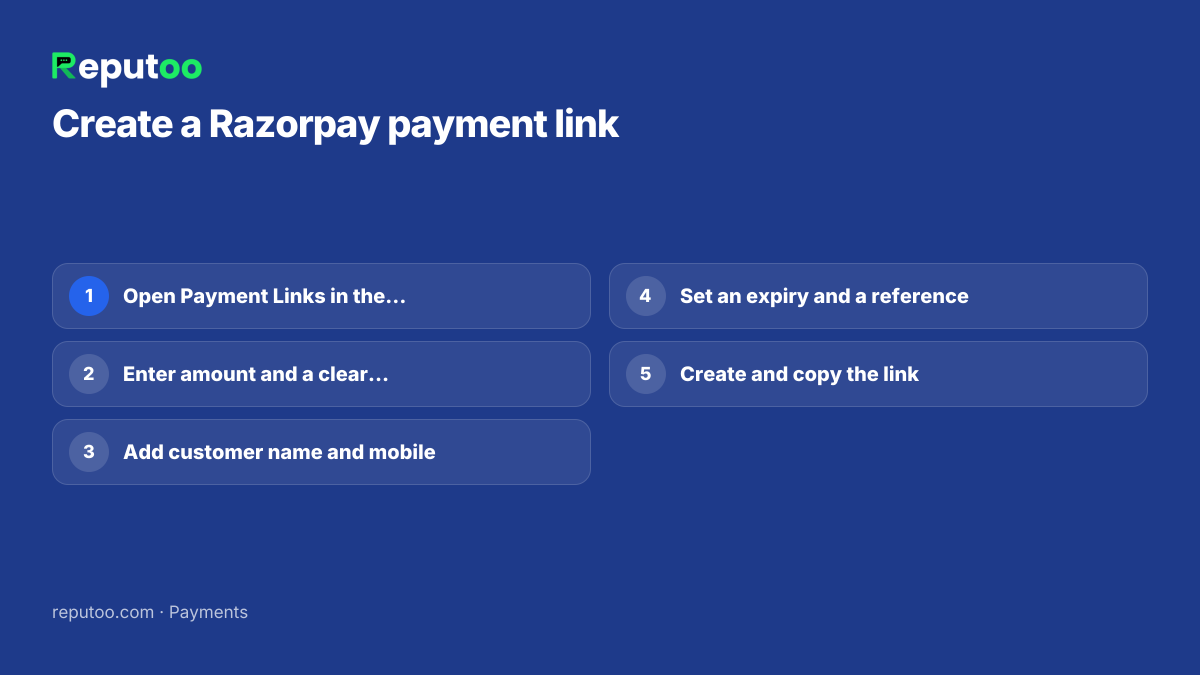
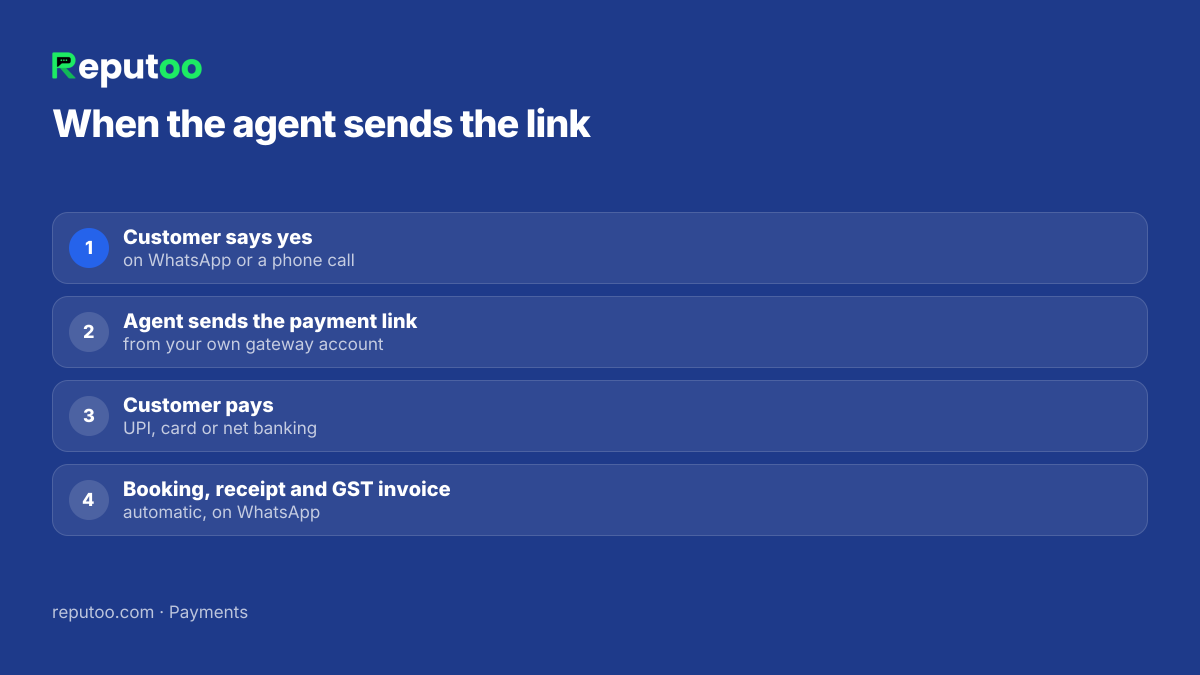
This guide shows how to create a Razorpay payment link and send it on WhatsApp by hand, what to put in the message, how to track who has paid — and how to go one step further, where your WhatsApp agent sends the link itself and the receipt, invoice and booking confirmation follow without anyone touching them.

Chapter 04

Tracking Who Has Paid

Every link has a status in the Razorpay Dashboard — created, paid, partially paid, expired or cancelled — with the payment ID, method and time. For a handful of links a day, checking the dashboard works. Beyond that, the manual steps add up: match the payment to the chat, confirm the booking, make the receipt, raise the invoice, tell the customer.

Razorpay can notify your own system the moment a link is paid (webhooks), which is how software closes the loop automatically. That is what the next section is about.

Chapter 06

Advances, Partial Payments and Full Payments

Not every payment is the full amount up front. Three patterns cover most businesses:

  • Advance to confirm. A small fixed amount — ₹200 for a salon slot, ₹500 for a clinic visit, a token for a site visit — that secures the booking. The rest is paid at the visit. Advances cut no-shows because the customer has committed.
  • Full payment. For products, class packages and online consultations, the full amount on the link.
  • Customer's choice. Offer "pay now" or "pay at the venue" and let the booking reflect which one they chose.

Razorpay's payment link settings also let you decide whether a customer may pay part of the amount on a link; use that for instalments or large orders, and keep fixed amounts for advances so the booking logic stays simple.

Chapter 08

Reconciling Payments at Month End

Payment links make month-end far easier, provided each link carries a reference — the order, booking or invoice number. Export your gateway's payment report, match it against your invoices by that reference, and the unmatched lines are the ones to look at. When the invoice is raised from the payment itself, the two match by design and the accountant gets a clean set of numbered GST invoices with nothing to chase.

Chapter 09

GST Invoices and Receipts on WhatsApp

For Indian businesses, the payment is only half the paperwork. Customers — especially businesses buying from you — want a proper tax invoice with your GSTIN, theirs where relevant, the tax breakup and an invoice number in sequence. Writing these by hand at the end of the day is where errors creep in.

When the payment and the invoice live in the same system, the invoice is raised the moment the payment is confirmed and sent to the customer on WhatsApp as a PDF, along with a receipt. You get a clean record for your accountant, and the customer has everything in the chat where they paid.

Chapter 13

FAQs

How do I send a Razorpay payment link on WhatsApp?

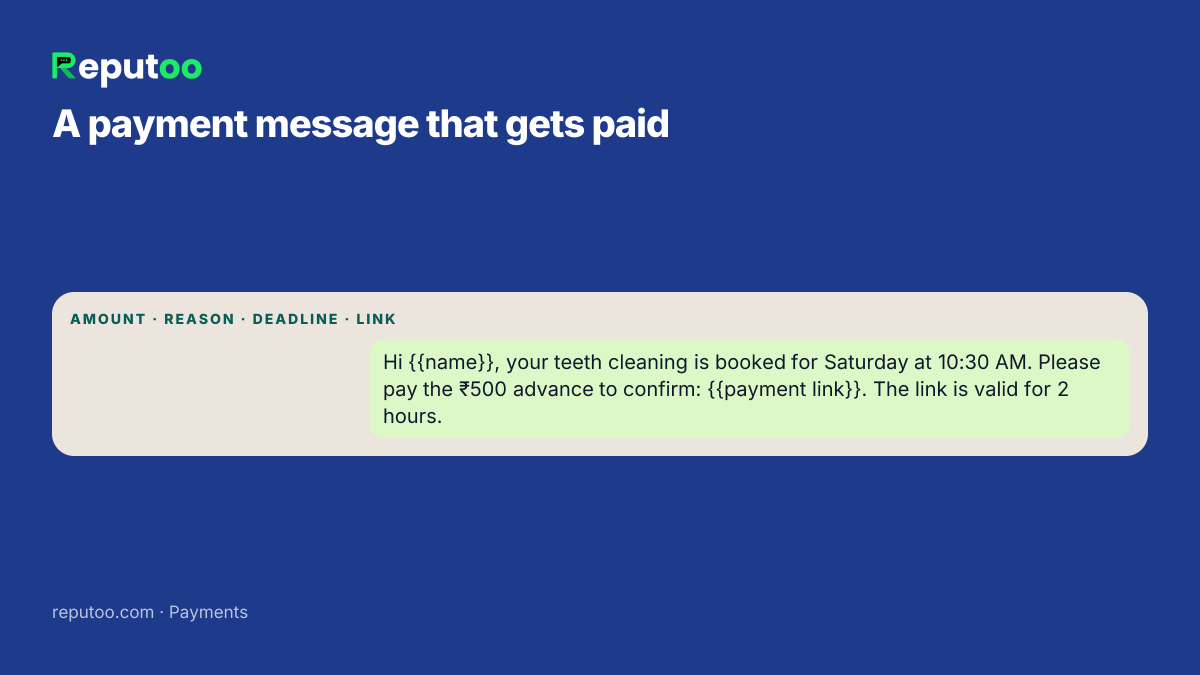
Create the link in the Razorpay Dashboard under Payment Links with the amount, description and customer details, copy it, and paste it into the customer's WhatsApp chat with a short message saying what it is for and when it expires.

Can a WhatsApp chatbot send payment links automatically?

Yes. On Reputoo, the AI agent, voice agent and booking bot send a payment link from your own gateway account the moment a customer confirms, and the receipt, GST invoice and booking confirmation follow automatically once it is paid.

Which payment methods work on a Razorpay payment link?

Whatever your Razorpay account has enabled — typically UPI, cards and net banking, and sometimes wallets or EMI. The customer picks on the checkout page.

How do I know when a payment link is paid?

The Razorpay Dashboard shows each link's status. Connected systems receive a notification the moment it is paid and can confirm the order and send the receipt automatically.

Can I send a GST invoice on WhatsApp?

Yes. With Reputoo Payment the GST invoice is raised when the payment is confirmed and sent to the customer on WhatsApp as a PDF along with the receipt.

Is it safe to pay through a payment link on WhatsApp?

Yes, when the link comes from the business's verified WhatsApp number and opens the gateway's own checkout page. Customers should be careful with links from unknown numbers.

How long should a payment link stay valid?

Match it to what the payment holds. For an appointment advance, a few hours or until the end of the day; for an invoice, a week or until the due date. A clear expiry gets links paid sooner and stops old links being paid for slots that no longer exist.

Can I use another gateway instead of Razorpay?

Yes. The steps are the same with any gateway that offers payment links. Reputoo Payment connects your own gateway account, so the money goes straight to you rather than through a middleman.

Chapter 14

Final Thoughts

A payment link turns "I'll pay later" into "paid" while the customer is still in the chat. Creating one in Razorpay takes a minute; sending it with a clear message and a deadline is what gets it paid.

Once you are sending more than a few a day, let your WhatsApp agent send them and let the receipt, invoice and confirmation take care of themselves — that is where the real time goes back to your team.

Written by Riya · Reputoo. Riya writes Reputoo’s guides on WhatsApp for business, AI agents and voice AI for Indian businesses.

← Back to all articles
Put it to work

Get Paid Inside WhatsApp with Reputoo

1,000+ businesses onboarded · Member of NVIDIA Inception · Official WhatsApp Business API, no per-message markup.

Get the details on WhatsAppNo payment needed. We will message you on WhatsApp.
+91
By sending, you agree to be contacted on WhatsApp. Prefer to write first? Message us