
Abandoned Cart Recovery on WhatsApp: How to Recover Lost Sales and Increase Conversions
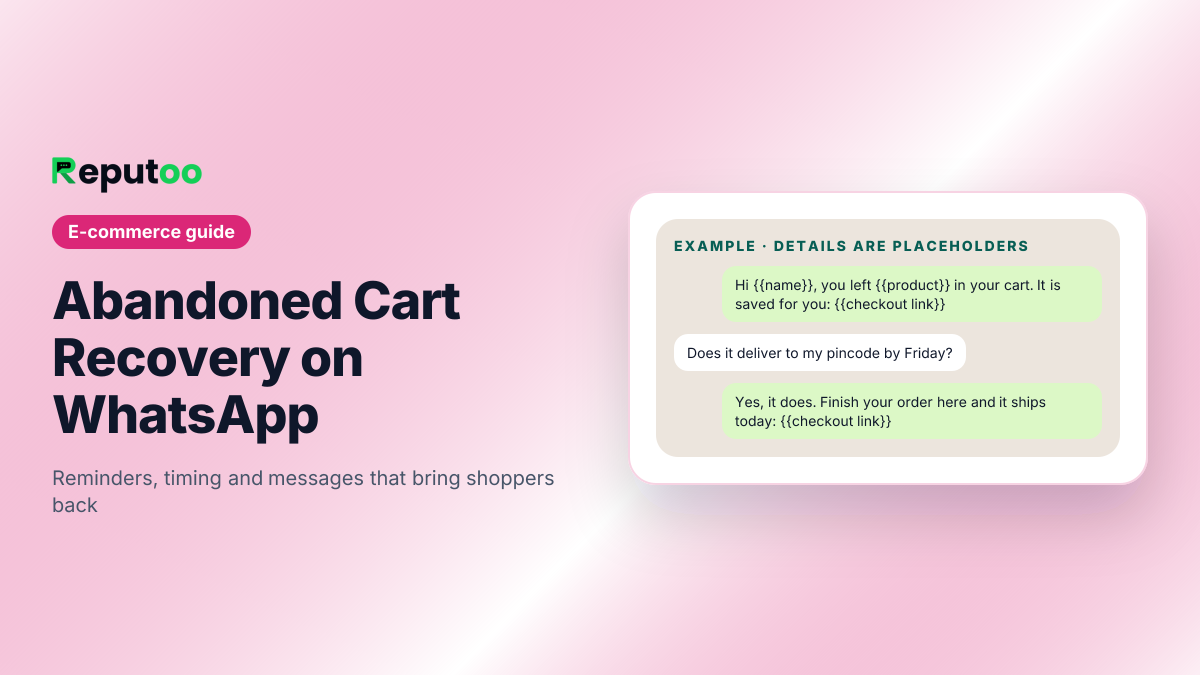
If you run an e-commerce store, abandoned carts are one of the biggest reasons you lose revenue. A shopper visits your store, browses products, adds items to their cart, and then leaves without buying. It happens every day, and if you do not follow up, those sales are often lost for good.
That is why abandoned cart recovery on WhatsApp is such a powerful strategy. Instead of hoping the customer comes back on their own, you can send a timely reminder on a channel they are already using. WhatsApp gives you a direct, personal, and fast way to re-engage shoppers and bring them back to complete their purchase.
Compared to email, WhatsApp often gets seen faster and feels more immediate. That makes it especially effective when the customer is still thinking about the product and only needs a small nudge. A well-timed reminder can recover sales, improve conversion rates, and help your store make more from the traffic it already has.
On this page (15 sections)
- 1.What Is Abandoned Cart Recovery on WhatsApp?
- 2.Why WhatsApp Works for Cart Recovery
- 3.How WhatsApp Cart Recovery Works
- 4.Best Types of WhatsApp Cart Recovery Messages
- 5.When to Send Cart Recovery Messages
- 6.What to Include in a WhatsApp Cart Recovery Message
- 7.Why Reputoo Helps with Cart Recovery
- 8.Best Practices for Abandoned Cart Recovery
- 9.Common Mistakes to Avoid
- 10.What Cart Recovery Messages Cost on WhatsApp
- 11.The Rules Meta Applies to Cart Messages
- 12.Setting It Up with Shopify
- 13.Three Example Cart Recovery Messages
- 14.FAQs
- 15.Final Thoughts
What Is Abandoned Cart Recovery on WhatsApp?
Abandoned cart recovery on WhatsApp is the process of automatically or manually sending follow-up messages to shoppers who added products to their cart but did not finish checkout. The goal is simple: bring them back and recover the sale.
These messages can remind them about the products they left behind, answer common objections, highlight benefits, or create urgency with a limited-time offer. Because WhatsApp is a fast and personal channel, it is often more effective than waiting for the customer to check email later.
For e-commerce brands, this strategy is useful because:
- It recovers revenue that would otherwise be lost
- It targets customers who already showed purchase intent
- It can be automated
- It improves the efficiency of your existing traffic
- It works well with personalized messaging
Why WhatsApp Works for Cart Recovery
WhatsApp is especially useful for cart recovery because it helps you reach customers while the purchase intent is still fresh.
Here’s why it works:
- Messages are usually read faster than email
- The conversation feels personal and direct
- Customers can reply with questions immediately
- Follow-ups can be automated and timed properly
- You can tailor the message based on cart value or product type
A shopper who just left your store may still be interested. They may have been distracted, unsure about shipping, or comparing options. WhatsApp gives you a second chance to convert them before they move on.
How WhatsApp Cart Recovery Works
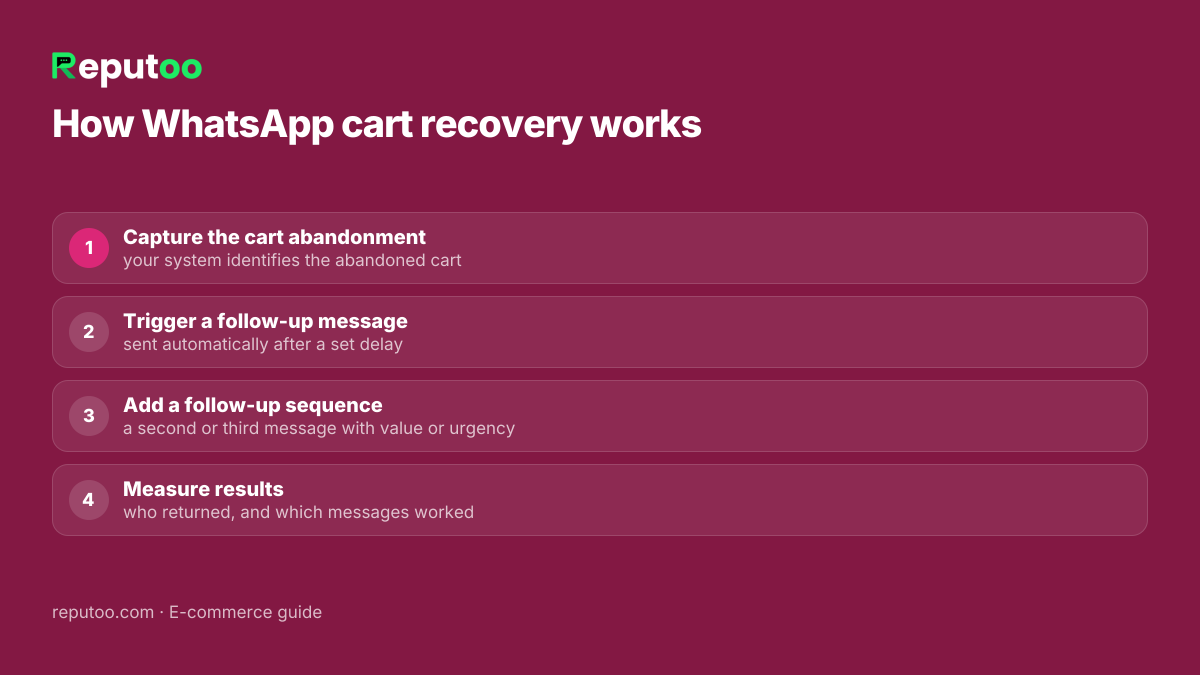
A basic WhatsApp cart recovery flow usually includes a few simple steps:
1. Capture the cart abandonment
When a shopper leaves without completing checkout, your system identifies the abandoned cart.
2. Trigger a follow-up message
After a set delay, a WhatsApp message is sent automatically to remind the shopper about the items they left behind.
3. Add a follow-up sequence
If the first message does not work, a second or third follow-up can be sent later with added value, social proof, or urgency.
4. Measure results
Track how many people return to complete checkout and which messages work best.
This process can be simple or advanced depending on your platform, but the goal is always the same: recover revenue without extra manual effort.
Best Types of WhatsApp Cart Recovery Messages
The best cart recovery messages are short, relevant, and helpful. They should remind the customer what they left behind without sounding pushy.
Here are a few message types that work well:
Friendly reminder
A simple message that reminds the shopper about their cart and gives them a way to return.
Product-focused message
Highlight the benefits of the product they left behind, especially if the product has a clear value proposition.
Urgency-based message
Use urgency carefully, such as limited stock or limited-time pricing, to encourage action.
Support-oriented message
If the customer may have had a question, offer help or invite them to reply.
Incentive-based message
In some cases, a small discount or free shipping offer can help close the sale.
The right approach depends on your brand, your margins, and the type of products you sell.
When to Send Cart Recovery Messages
Timing matters a lot in cart recovery. Send the message too early and it may feel intrusive. Send it too late and the shopper may have already bought elsewhere.
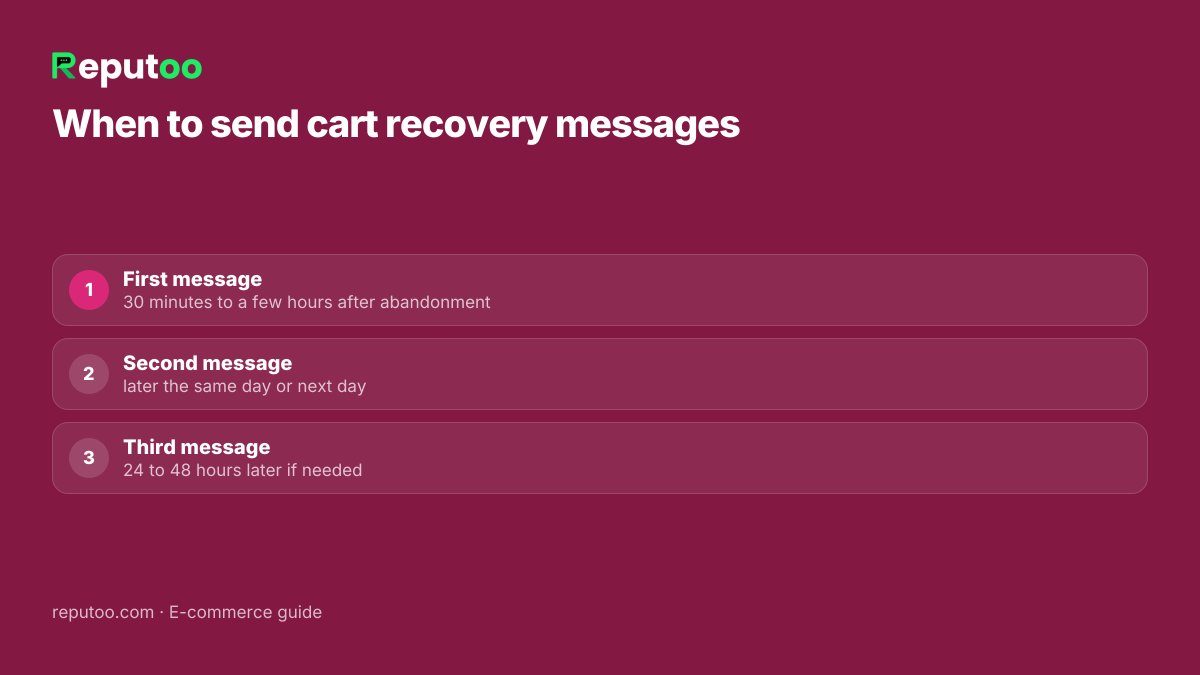
A common approach is:
- First message: 30 minutes to a few hours after abandonment
- Second message: later the same day or next day
- Third message: 24 to 48 hours later if needed
You should test timing based on your audience. Some stores respond better to a quick reminder, while others convert better with a delayed message that feels less aggressive.
What to Include in a WhatsApp Cart Recovery Message
A strong cart recovery message should include:
- A clear reminder about the cart
- The product name or category
- A short reason to come back
- A direct link to complete checkout
- A helpful or persuasive CTA
Keep the message short and easy to scan. Customers should understand the value in a few seconds.
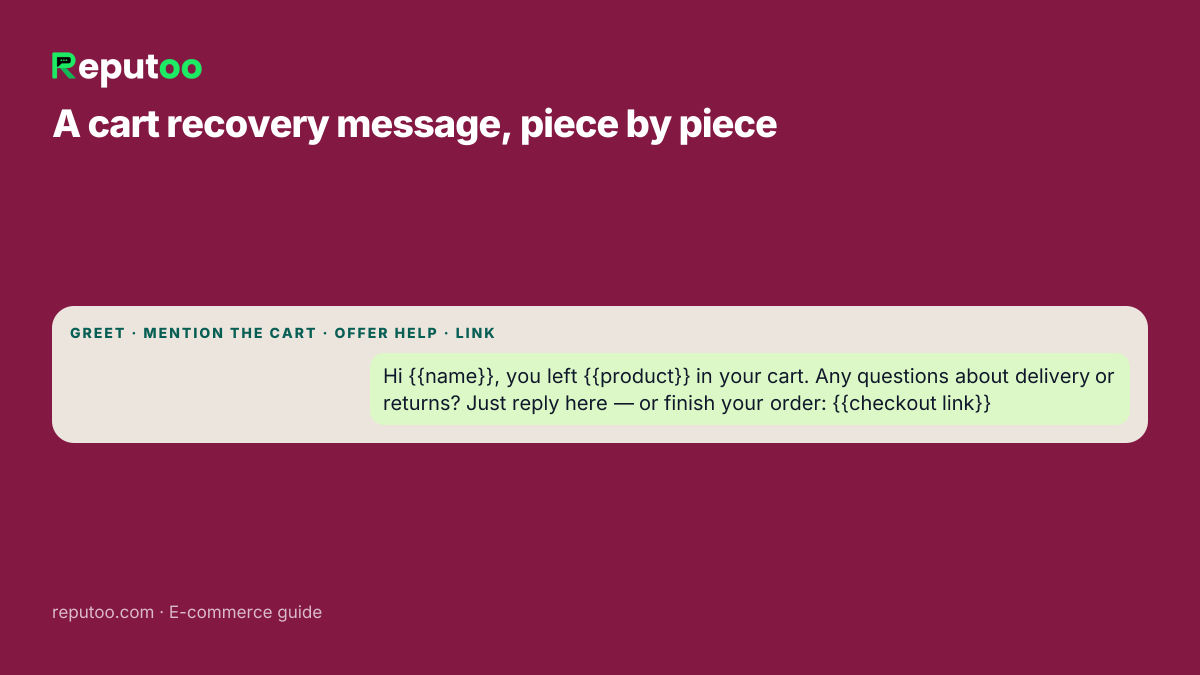
Example structure:
- Greet the customer
- Mention the cart or product
- Offer help or urgency
- Include the checkout link
Why Reputoo Helps with Cart Recovery
Reputoo helps e-commerce brands automate cart recovery through WhatsApp so they do not lose sales that could be recovered with the right follow-up.
With Reputoo, you can:
- Set up automated cart recovery flows
- Send timely WhatsApp reminders
- Segment customers based on cart behavior
- Track which messages bring shoppers back
- Manage the full recovery process in one platform
This makes it easier to recover revenue without adding more manual work to your team.
Best Practices for Abandoned Cart Recovery
If you want better results, follow a few simple best practices.
Keep messages short
Long messages are harder to read and often reduce response rates.
Personalize where possible
Use the customer’s name, the product they left behind, or other relevant details.
Don’t over-message
Too many reminders can feel pushy and hurt trust.
Test different timings
What works for one store may not work for another.
Make the CTA obvious
Give the customer a clear link or next step.
Use segmentation
Different cart values or product types may need different follow-up styles.
Track conversions
Measure how many carts are recovered and which message types perform best.
Common Mistakes to Avoid
Many stores fail at cart recovery because they send generic or poorly timed messages.
Avoid these mistakes:
- Sending a message too late
- Making the message too long
- Using the same message for every cart
- Forgetting a clear CTA
- Overusing discounts
- Not measuring performance
Cart recovery works best when it feels helpful, timely, and relevant.
What Cart Recovery Messages Cost on WhatsApp
Every cart reminder you start is a WhatsApp template message, and Meta treats a cart reminder as marketing — it is trying to complete a sale, not confirm one. Meta charges per delivered message, by category and by the customer's country. On the October 1, 2026 rate card a marketing message to an Indian number costs ₹0.8631, before 18% GST.
That makes the arithmetic easy. Say your store sees 1,000 abandoned carts in a month that have a WhatsApp number and consent. If every one of them received all three reminders, that is 3,000 messages × ₹0.8631 = ₹2,589 in Meta charges. In practice it is less, because the second and third reminders stop as soon as a shopper completes checkout. Compare that number with your average order value: one or two recovered orders usually cover the month.
Two details matter for budgeting. If the shopper replies with a question, your answers inside the 24-hour window are charged at the utility rate (₹0.115 in India) since 1 October 2026. And a reminder that never gets delivered — a number that is not on WhatsApp — is not charged. Run your own volumes in the WhatsApp API cost calculator; Reputoo adds no markup to Meta's rate.
The Rules Meta Applies to Cart Messages
Cart recovery on WhatsApp only works if your number stays in good standing, and that depends on a few rules:
- Consent first. You need the shopper's permission to message them on WhatsApp. The simplest place to collect it is checkout itself: when they type their phone number, a clearly worded checkbox — "Send me order updates and offers on WhatsApp" — records it. In India, the DPDP Act, 2023 also expects a clear purpose for using their number.
- Approved templates. The reminder must use a template Meta has approved, filed in the marketing category. Variables such as the customer's name, product and checkout link are filled in at send time.
- An easy way out. Give shoppers a way to stop marketing messages — a "Stop offers" button or a reply keyword — and honour it.
- Quality rating. When people block or report your messages, Meta lowers your number's quality rating, which can limit how many customers you can reach. Three short, useful reminders protect it; seven pushy ones do not.
None of this needs DLT registration in India — that applies to SMS, not WhatsApp.
Setting It Up with Shopify
On Reputoo, cart recovery runs from your store's own events, so there is nothing to copy across by hand:
- Connect your store. Install Reputoo on Shopify; abandoned checkouts arrive automatically. (A WooCommerce store syncs its buyers as contacts; automatic cart recovery is built for Shopify today.)
- Turn on the abandoned-cart trigger. When a shopper leaves checkout with a phone number and consent, Reputoo picks up the cart with its items and checkout link.
- Write your reminders. Create up to three templates — reminder, help, offer — with variables for name, product and link, and submit them to Meta.
- Set the delays. Choose when each message goes out, following the timing above, and the flow stops on its own once the order is placed.
- Watch the results. Revenue attribution shows which reminders brought shoppers back, so you can change the copy or timing that does not.
Replies land in the shared inbox with the cart attached, so whoever answers can see exactly what the shopper left behind. The step-by-step version is in how to set up an abandoned cart flow.
Three Example Cart Recovery Messages
Here is how the three-message sequence can read in practice. The words in braces are filled in for each shopper.
Message 1 — the reminder. "Hi {{name}}, you left {{product}} in your cart. It is saved for you — finish your order here: {{checkout link}}"
Message 2 — the help. "Still deciding on {{product}}? If you have a question about sizing, delivery or returns, just reply here and we will answer. Your cart: {{checkout link}}"
Message 3 — the offer (optional). "Last reminder about your cart, {{name}}. Use {{code}} for free delivery until tonight: {{checkout link}}"
Notice what each one does: the first only reminds, the second removes a doubt and invites a reply, and only the third spends margin. Many stores find the first two recover most of what can be recovered, so test the offer before you make it the default.
FAQs
What is abandoned cart recovery on WhatsApp?
It is the process of sending follow-up messages to shoppers who left products in their cart without completing checkout.
Is WhatsApp better than email for cart recovery?
For many stores, yes. WhatsApp is usually seen faster and can feel more personal.
Can I automate abandoned cart recovery on WhatsApp?
Yes. Many platforms, including Reputoo, support automated cart recovery workflows.
Should I offer a discount in the recovery message?
Not always. Sometimes a reminder, support offer, or product benefit is enough. Use discounts strategically.
How many cart recovery messages should I send?
Usually 2–3 messages is enough, but test based on your audience.
Final Thoughts
Abandoned cart recovery on WhatsApp is one of the easiest ways to recover lost sales and improve e-commerce conversions. Since the shopper already showed interest, you are simply giving them the right reminder at the right time.
If you want to increase revenue without increasing ad spend, cart recovery is a smart place to start. With the right timing, message, and automation, WhatsApp can help you win back sales you would otherwise lose.
Start Recovering Abandoned Carts with Reputoo
1,000+ businesses onboarded · Member of NVIDIA Inception · Official WhatsApp Business API, no per-message markup.