Every appointment-based business runs on the same loop: someone asks for a time, someone checks who is free, someone confirms, someone reminds, and someone deals with the no-show. Done by hand, that loop eats hours a day and still leaks bookings — the call during a busy moment, the message answered too late, the slot left empty by a cancellation.
Appointment scheduling software automates the loop. The question is how your customers reach it. Many tools give you a booking link and wait for customers to click it. That works for people already on your website. It works less well for the many customers who would rather send a message or make a call.
This guide explains what appointment scheduling software does, the different ways customers can book, what to look for, what it costs, and how to set it up — including how booking on WhatsApp and by phone fits alongside a calendar.
Chapter 01
What Appointment Scheduling Software Does
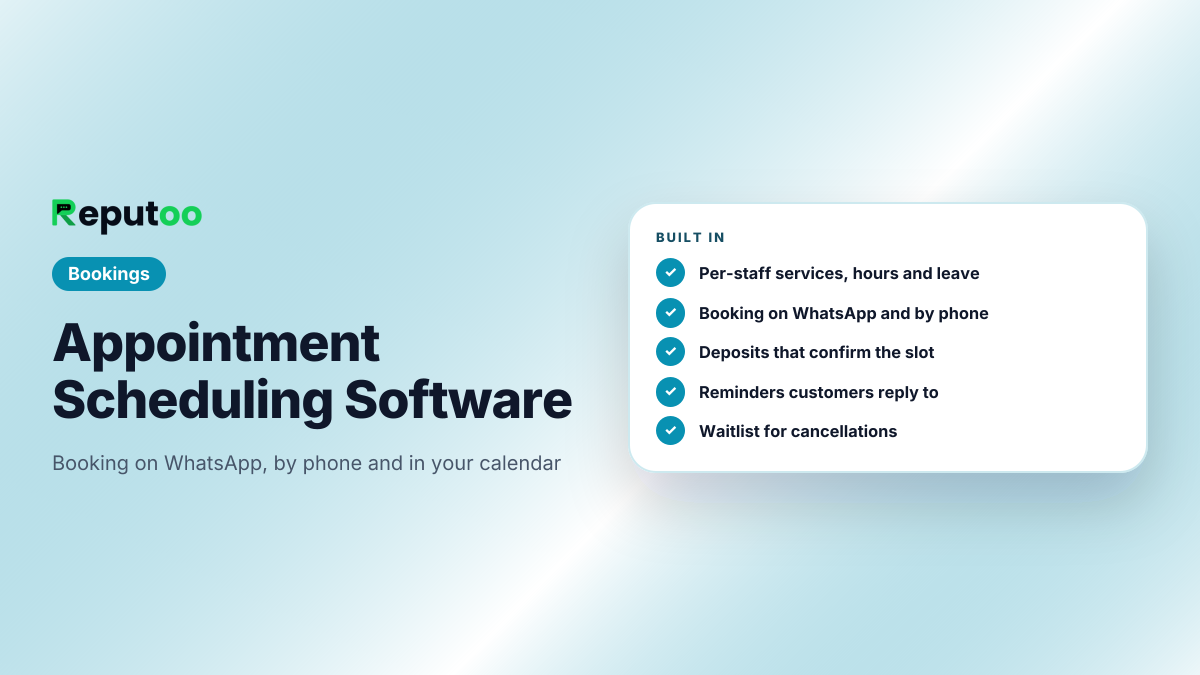
At its simplest, scheduling software keeps one source of truth for who is available when, and lets customers book into it without back-and-forth. Good software also handles the parts that make real schedules messy:
Staff and services. Each person has their own services, working hours, leave and appointment length.
Capacity and blocked time. How many bookings fit in a slot, holidays and closed days.
Deposits and payments taken at booking, so no-shows cost less.
Reminders before the appointment, with an easy way to reschedule.
Cancellations and waitlists — freed slots offered to the next person automatically.
Calendar sync with the calendars your team already uses.
Online meetings — a video link added automatically for remote appointments.
Chapter 02
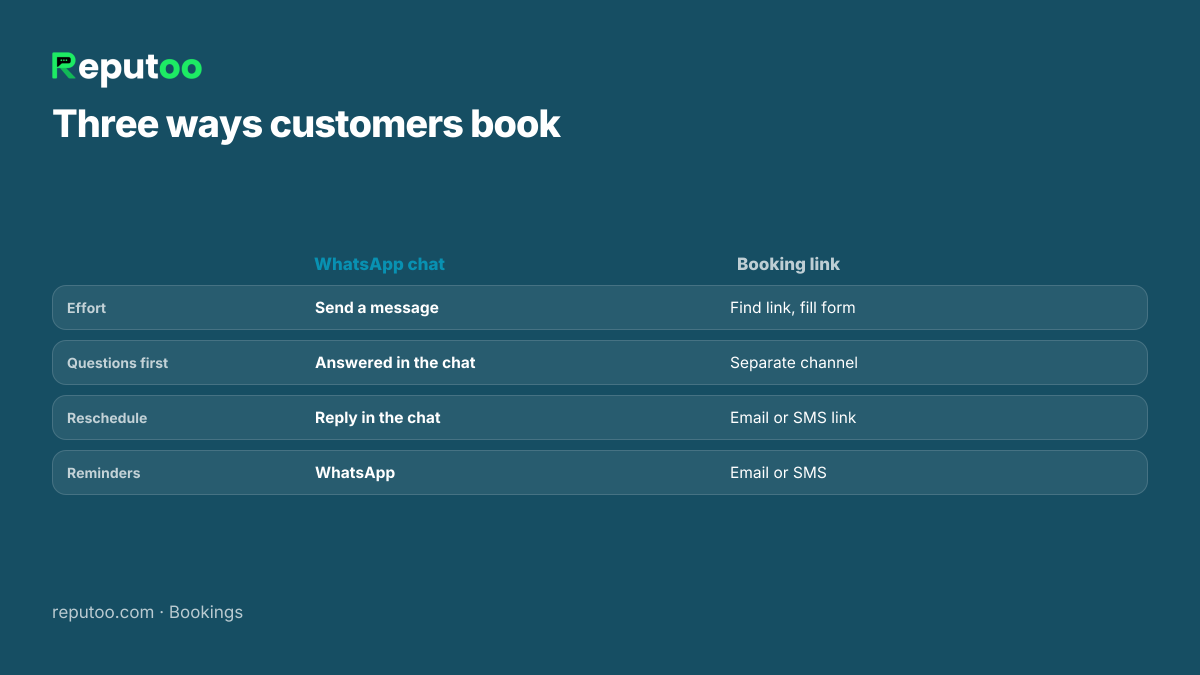
Three Ways Customers Book — and Why It Matters
Booking link / web page
WhatsApp chat
Phone call
Customer effort
Find the link, fill a form
Send a message
Make a call
Questions before booking
Need a separate channel
Answered in the same chat
Answered on the call
Reminders and rescheduling
Email or SMS links
In the same chat, by reply
On WhatsApp after the call
Works for customers who will not fill forms
No
Yes
Yes
Needs AI to run 24/7
No
Yes — an AI booking agent
Yes — an AI voice agent
Link-based schedulers are excellent for professionals booking meetings with people who are already online. For clinics, salons, studios, tutors and service businesses — especially in India, where customers already message businesses on WhatsApp — the chat and the phone bring in many bookings a link never would. Reputoo is built for those two channels and keeps them in one diary.
Meet customers where they already are.
Chapter 03
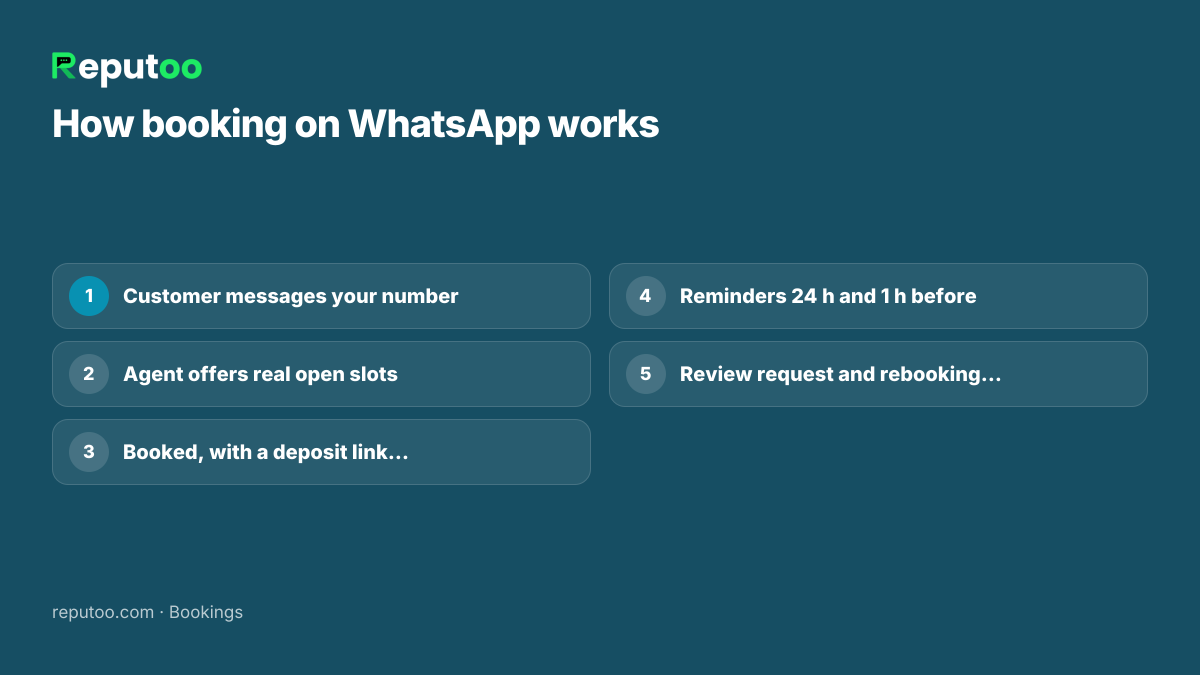
How Booking on WhatsApp Works
The customer messages your business number: "Can I come in Thursday evening?"
The AI booking agent checks the real schedule and offers the open slots for the service and staff member they want.
The customer picks one; the agent books it and, if you take deposits, sends a payment link. The booking confirms when it is paid.
Reminders go out 24 hours and 1 hour before. The customer can reply to reschedule.
After the visit, a thank-you and review request; later, a nudge to book again.
Everything happens in one chat thread, so the customer never has to find a link or an email again. Full details: WhatsApp appointment booking.
One chat thread from booking to the next visit.
Chapter 04
And by Phone
The phone still brings in a large share of bookings for most service businesses — usually at the moments nobody is free to answer. Reputoo's voice agent answers those calls, books into the same schedule as the WhatsApp agent, takes a deposit link if needed and sends the confirmation to the caller's WhatsApp. It speaks 36 languages, and every call is logged so your team can review it. See AI answering service.
Chapter 05
Features to Look For
Per-staff schedules — services, hours, leave, appointment length per person.
Booking where customers are — WhatsApp and phone, not only a link.
Deposits linked to bookings — paid link confirms the slot.
Reminders customers read — WhatsApp beats email for open rates and replies.
Waitlist — cancellations offered automatically.
Two-way calendar sync — Google Calendar for teams that live in it.
Video links — Google Meet added for online appointments.
Fitness, yoga and dance studios — classes with capacity and trial sessions.
Tutors and coaching — demo classes and batch timings.
Consultants and agencies — calls with a Google Meet link.
Home services — visit slots by area and technician.
Chapter 07
What Scheduling Software Costs
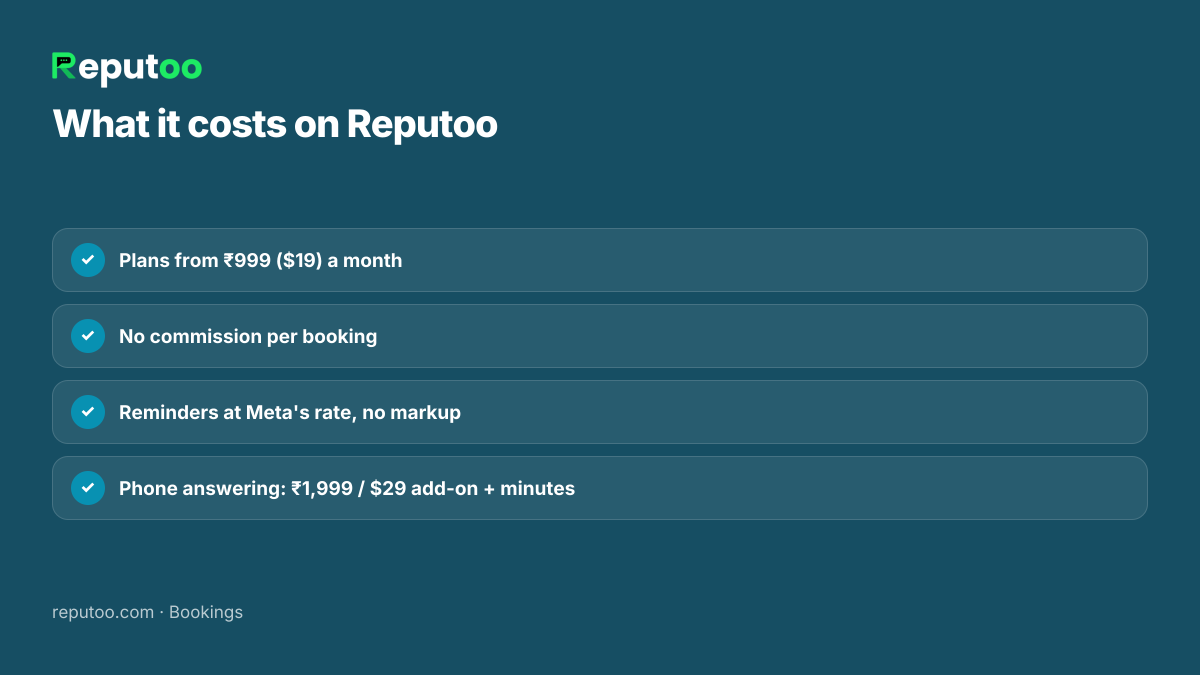
Scheduling tools are typically priced per user per month, with free tiers for one person and paid tiers for teams, reminders and payments. On Reputoo:
Plans from ₹999 a month (or $19) for WhatsApp booking, reminders and the shared inbox — pricing.
No commission per booking.
WhatsApp reminders are utility messages charged by Meta at its own rate, passed through with no markup.
Phone answering is an optional voice add-on (₹1,999 or $29 a month) plus per-minute usage from a prepaid wallet.
Deposits go to your own payment gateway account.
Clear pricing, no commission.
Chapter 08
How to Set Up Scheduling in an Afternoon
Add your team with their services, prices, working hours and appointment lengths.
Block time — holidays, lunch, leave — and set how far ahead customers can book.
Connect Google Calendar if your team uses it, so busy times block slots both ways.
Decide deposits for long or high-value appointments.
Connect WhatsApp and test a booking as a customer would.
Tell customers — "Book on WhatsApp" on your Google profile, Instagram, website and shop.
Add phone answering when you are ready to cover calls too.
Chapter 09
Common Scheduling Problems and How Software Fixes Them
Double bookings. One diary for all channels — WhatsApp, phone, staff entries and calendar sync — so a slot taken anywhere disappears everywhere.
Phone tag. Customers book and reschedule by message instead of trying to reach the desk.
No-shows. Deposits for the slots that hurt most, and reminders customers can reply to.
Last-minute cancellations. A waitlist that offers the freed slot to the next customer automatically, with a time limit.
Overloaded staff. Per-person hours, leave and appointment lengths, so nobody is booked into a break or a day off.
Forgotten follow-ups. Nudges when the next visit is due, instead of hoping the customer remembers.
Chapter 10
Classes, Batches and Capacity
Not every appointment is one-to-one. Yoga classes, dance batches, group workshops and demo sessions have a capacity: twelve mats, twenty seats. Scheduling software for these needs to count bookings against capacity, close the slot when it is full, and offer a waitlist place instead of turning people away.
On WhatsApp this reads naturally: "Saturday 7 am yoga has two places left — shall I book one for you?" When someone cancels, the next person on the waitlist gets the place. Combined with a payment link for drop-ins or packages, a studio can run its whole booking flow inside the chat its members already use.
Chapter 11
Moving from a Paper Diary or Spreadsheet
Most small businesses start with a register, a spreadsheet or a shared Google Calendar. Moving to scheduling software does not need a big switch-over:
Enter your team, services and hours first — that is the part that makes slots accurate.
Add existing future appointments, or connect the Google Calendar they already live in.
Run both for a week: keep the diary at the desk, but let new bookings come in through WhatsApp.
Switch reminders on once you trust the diary — that is where the time saving starts.
Retire the paper diary when the team stops looking at it.
The first visible win is usually the reminders: fewer "I forgot" calls and fewer empty slots in the first fortnight.
Chapter 12
Measuring the Results
Four numbers tell you whether scheduling software is working: bookings per week by channel (WhatsApp, phone, walk-in), no-show rate, slots refilled from the waitlist, and time the front desk spends on the phone. Note them before you start and again after a month. If bookings by WhatsApp grow while no-shows fall, the software is doing its job; if not, the transcripts and chats show where customers drop off.
Chapter 13
Choosing Between a Booking Link and a Chat
You do not have to choose only one. Many businesses keep a booking link on their website for customers who prefer to click, and add WhatsApp and phone booking for everyone else — as long as all three write to the same diary. Ask three questions to decide where to start:
Where do your customers contact you today? If most messages arrive on WhatsApp, start there.
Do customers ask questions before they book? If yes, a chat that can answer and then book converts better than a form.
How many bookings come by phone? If a large share do, phone answering will bring back the ones you currently miss.
Chapter 14
FAQs
What is appointment scheduling software?
Software that keeps your team's availability in one place and lets customers book into it without back-and-forth, with reminders, rescheduling, deposits and calendar sync.
What is the best scheduling software for small business?
The one that matches how your customers book. If they book from your website, a booking link works. If they message or call — as most customers of clinics, salons and studios do — choose software that books on WhatsApp and by phone into the same schedule.
Can customers book appointments on WhatsApp?
Yes. On Reputoo an AI booking agent answers WhatsApp messages, offers real open slots, books them, takes a deposit if needed and sends reminders in the same chat.
Does it sync with Google Calendar?
Yes. Reputoo syncs two-way with Google Calendar, and online appointments get a Google Meet link automatically.
Can it reduce no-shows?
Deposits and reminders that customers can reply to are the two things that reduce no-shows most. Reputoo sends reminders 24 hours and 1 hour before on WhatsApp and can require a deposit to confirm.
Is there a free scheduling app?
Many link-based schedulers have free tiers for one person. Reputoo starts at ₹999 a month and includes WhatsApp booking, reminders and a shared inbox for your team.
Can customers reschedule or cancel by themselves?
Yes. They reply to the reminder or message the business on WhatsApp, and the agent offers new slots or cancels. Freed slots go to the waitlist automatically.
Can I take payment when someone books?
Yes. A payment link goes out in the chat for the appointments you choose, and the booking confirms when the payment clears. Money goes to your own payment gateway account.
Does it handle group classes?
Yes. Set a capacity for each class or batch; bookings count against it, the slot closes when full, and further requests join the waitlist.
Do customers need to download an app?
No. Customers book on WhatsApp, which they already have, or by calling your number. Nothing to install and no account to create.
Can my staff still add bookings themselves?
Yes. Walk-ins and phone bookings taken by your team go into the same diary, so the AI never offers a slot someone has already taken.
Chapter 15
Final Thoughts
Appointment scheduling software should make booking easier for your customers, not just tidier for you. A clean calendar matters — but the bookings come from answering the message and the call at the moment the customer is ready.
Put your team's real schedules in, let customers book on WhatsApp first, read a week of bookings, then add phone answering and deposits where no-shows hurt most.
Whichever tool you choose, judge it by the customer's side of the experience: how many steps it takes to book, how easy it is to change a booking, and whether the reminder arrives somewhere they will actually read it. Software that gets those three right fills your diary; software that only organises it does not.
R
Written by Riya · Reputoo. Riya writes Reputoo’s guides on WhatsApp for business, AI agents and voice AI for Indian businesses.